

Less-experienced and lower-skilled customer-support agents improved productivity by approximately 35% when given a generative AI assistant in a study of 5,179 agents, while the most experienced workers saw little improvement, according to the National Bureau of Economic Research. For an MSP evaluating an AI assistant for business, that uneven result matters more than a blanket promise of faster work. The service has to fit the employee, the task, and the review process.
Table of Contents
- Why Ungoverned Client AI Use Is the Offer
- Cloud Private or On-Premises Choices to Confirm
- Human Review Rules by Output Risk
- How to Launch a Client Workspace in 30 Days
- Budgets Workshops and Service Review Metrics
- Adoption Support Flows and Reporting to Confirm
- Confirm Fit Before You Sell Access
Why Ungoverned Client AI Use Is the Offer
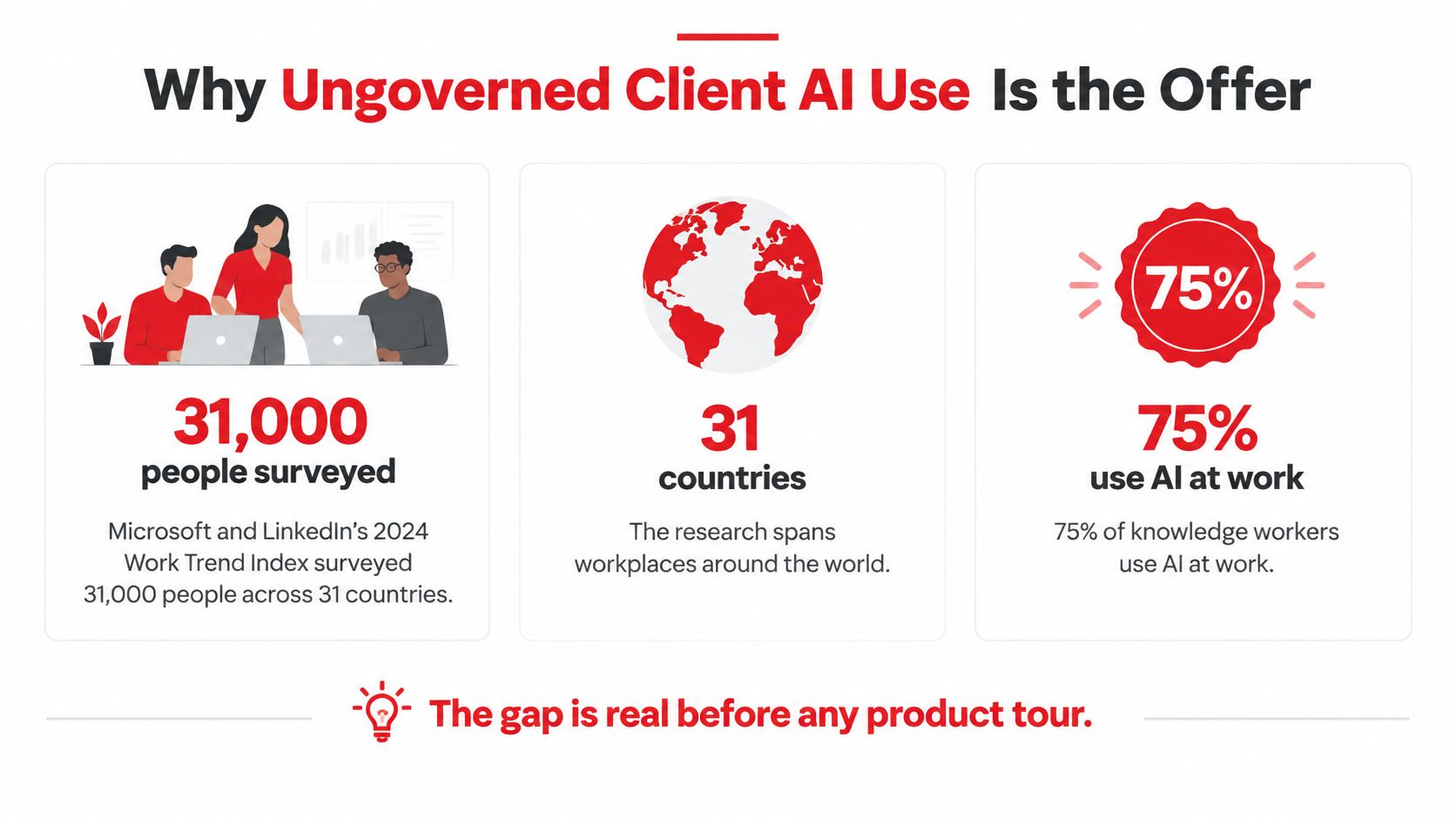
Microsoft and LinkedIn's 2024 Work Trend Index surveyed 31,000 people across 31 countries and reported that 75% of knowledge workers use AI at work; a separate Microsoft finding states that only 39% of people using AI at work have received employer-provided AI training. Those findings describe workplace behavior, not the security or effectiveness of a particular platform.
For an MSP, the opportunity isn't just supplying another application. Employees may already be drafting messages, researching questions, and summarizing documents without an approved tool or anyone explaining what information must stay out.
Define the service before the workspace
An AI assistant for business should be treated as a workspace for drafting, research, and task support, surrounded by an operating model. That means a named administrator, written submission rules, and an accountable person checking output before it's sent, filed, or acted on.
Illustrative scenario: At a 40-person professional-services firm, associates paste client memos into a public chat tool to prepare summaries. The MSP's offer replaces that habit with approved tasks, onboarding, and a review requirement for anything leaving the firm. The launch also needs an explicit instruction about those memos, moving the same behavior into a different interface isn't sufficient.
The commercial offer should identify what the MSP delivers:
- Workspace onboarding: Access setup, approved-use examples, and administrator guidance.
- Employee enablement: Task-based workshops that distinguish useful assistance from prohibited submissions.
- Operating support: A route for questions, mistakes, access changes, and service reviews.
Practical rule: Sell an accountable way of working, not unrestricted access with a policy attached.
Keep the product boundary visible
Veevoo distributes Prox.ia and isn't its software vendor. The Prox.ia product scope page is the starting point for evaluating the workspace, not a substitute for deployment-specific terms.
Prox.ia is a multi-model workspace for text, documents, images, and code according to the models and deployment available, with data controls, spending visibility, moderation, and white-label features. Branding, model access, and cloud, private, or on-premises deployment must still be confirmed for the proposed arrangement.
The evaluation shouldn't become a model ranking or a price list. Nor should it promise revenue, productivity, or compliance outcomes. The useful question is whether the MSP can operate the proposed client service responsibly.
Cloud Private or On-Premises Choices to Confirm
| Path | Data and access question | Brand and admin | MSP service load | Confirm before selling |
|---|---|---|---|---|
| Cloud workspace | Confirm where prompts and files are processed and how long they're retained | Confirm client-facing brand and named tenant administrator | Onboarding, workshops, budgets, and support; infrastructure boundary to confirm | Confirm availability, model access, deployment, support split, and reseller terms |
| Private deployment | Confirm who isolates the environment and who administers it | Confirm branding, administration boundary, and intended user group | Plan for tighter change control and access reviews | Confirm private-hosting availability, model access, deployment, support split, and reseller terms |
| On-premises | Confirm who owns hardware, network, updates, and local access | Confirm local controls and branding | Plan for the heaviest operating burden on MSP or client IT | Confirm whether it's in scope, plus availability, model access, deployment, support split, and reseller terms |
These are deployment paths to investigate, not verified specifications for every available workspace. Each blank belongs in a client discussion and the commercial agreement, not in a salesperson's assumptions.
Compare operating responsibilities, not hosting labels
A vendor-hosted cloud workspace generally leaves the MSP with less infrastructure to operate. That doesn't remove the need to establish processing locations, retention behavior, subprocessors, deletion procedures, and the models available to the client.
A private environment requires a more precise definition than the word private provides. The MSP needs to identify what is isolated, who can administer it, who installs updates, and whether support personnel can access submitted material. A narrower user group may simplify access review, but it doesn't answer those questions.
On-premises creates a different support boundary. Hardware capacity, network access, backups where applicable, software updates, and failure recovery need owners. It shouldn't appear in a proposal as an included option until the agreement establishes that it's available and identifies who operates it.
The multi-model AI workspace evaluation page provides a relevant product reference. Model availability, supported content types, and branding behavior remain deployment-specific confirmation items rather than permission to promise every model or hosting path.
Let the workload set the boundary
Illustrative contrast: An accounting firm may accept a cloud workspace for marketing drafts while refusing to submit tax workpapers until retention and administrator access are documented. The firm isn't being inconsistent. It is applying different requirements to different information.
The MSP should capture that distinction in the scope rather than labeling the entire client approved for AI. Marketing access doesn't authorize tax-document processing.
- Processing boundary: Identify where submitted material and generated output travel.
- Administrative boundary: Name the people who can grant access, change settings, and investigate issues.
- Commercial boundary: Establish which party supports the workspace, models, hosting, and employee questions.
A client-facing brand can make the service easier to recognize, but it doesn't establish where data goes. Likewise, a local installation doesn't automatically establish appropriate permissions or safe handling. Those are separate decisions that require separate evidence.
Human Review Rules by Output Risk
| Output use | Review rule | What to record |
|---|---|---|
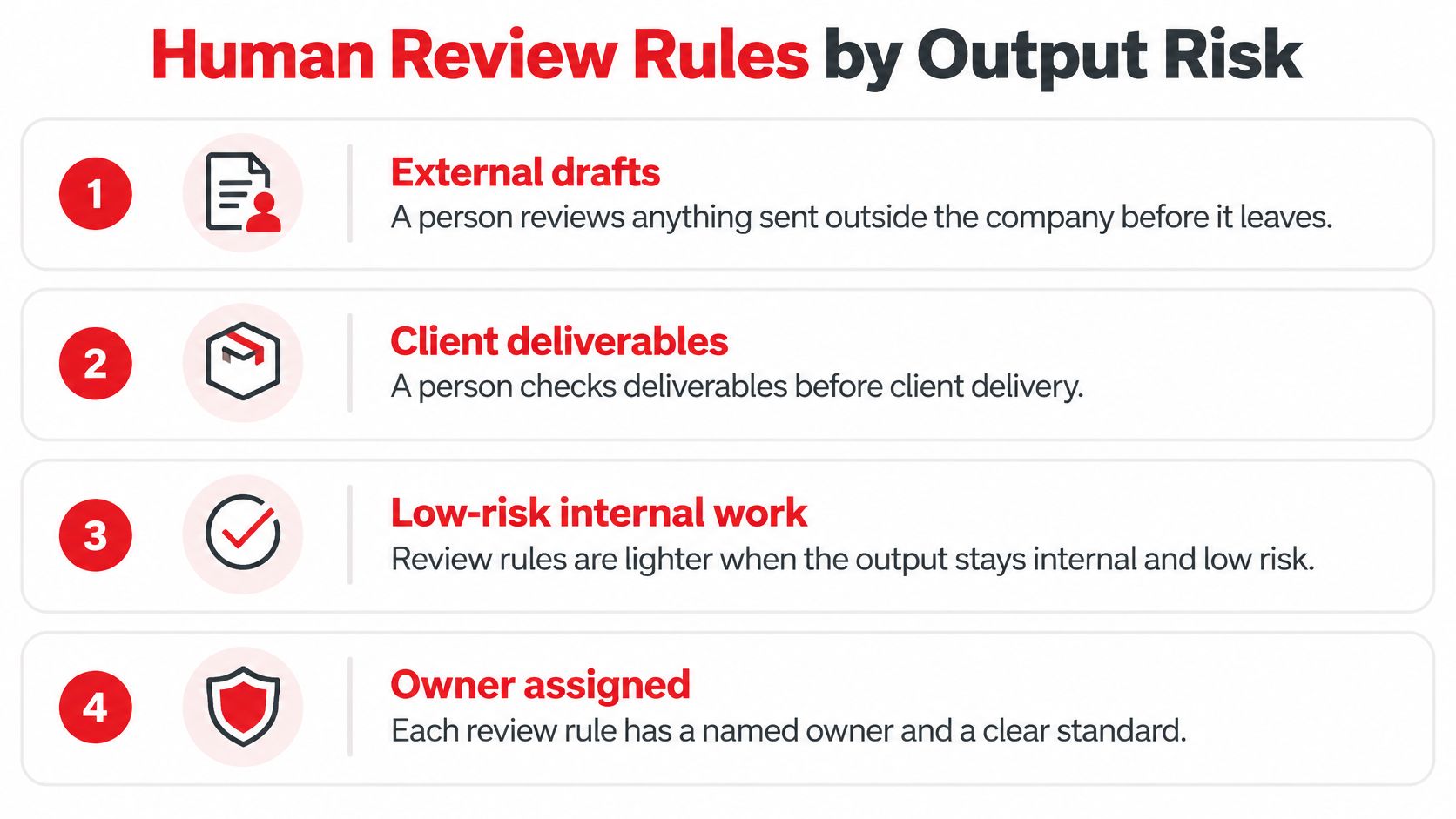
| External draft or client deliverable | A person reviews before it's sent or published | Corrections and any severe error |
| Code, configuration, or system change | Review before it's applied | Security issues and missed instructions |
| Confidential, personal, or regulated material | Keep it out, or limit permitted use to a named reviewer within an approved workflow | Policy exceptions and who approved them |
| Internal research or task note | Spot-check a sample | Acceptance rate and repeat error types |
AI output may be inaccurate and should be reviewed before use. These rules assign different review intensity to different uses; they don't authorize restricted information merely because someone volunteers to check the answer.
In McKinsey's global survey, 27% of respondents whose organizations used generative AI said employees reviewed all AI-created content before use, while 47% reported at least one negative consequence from generative AI. A defensible service therefore needs evidence of review quality, not just an instruction to check everything.
Give reviewers something to verify
The reviewer needs the source documents, the intended use, any uncertainty cues the platform provides, and a correction path. A polished paragraph without its supporting material is harder to check than a draft accompanied by the relevant source passage.
For research, reviewers should open the cited source and confirm that it supports the claim. For code, they should inspect the change, test it in an appropriate environment, and follow the client's normal approval process.
Sample errors using a consistent classification:
- Factual and instruction-following: Unsupported claims, omitted requirements, or incorrect calculations.
- Privacy and security: Restricted disclosures, unsafe code, or inappropriate access assumptions.
- Bias and copyright: Unfair treatment or material requiring rights review.
Assign authority and escalation
The client business owner accepts the workflow and its residual business risk. The MSP administrator manages the technical scope and access settings. Neither role should be represented by a shared login that obscures who changed a setting or approved an exception.
Calculate acceptance, correction, escalation, and severe-error rates from reviewed outputs. If results are poor, change the task instructions, permitted sources, permissions, or selected model before widening access.
The AI prompt moderation page belongs in the control evaluation, with reporting availability and coverage confirmed for the deployment. Moderation can support review, but a filter can't guarantee detection of every sensitive item or establish regulatory compliance.
A clean moderation report doesn't establish that every output was safe, accurate, or approved.
How to Launch a Client Workspace in 30 Days
An illustrative launch calendar
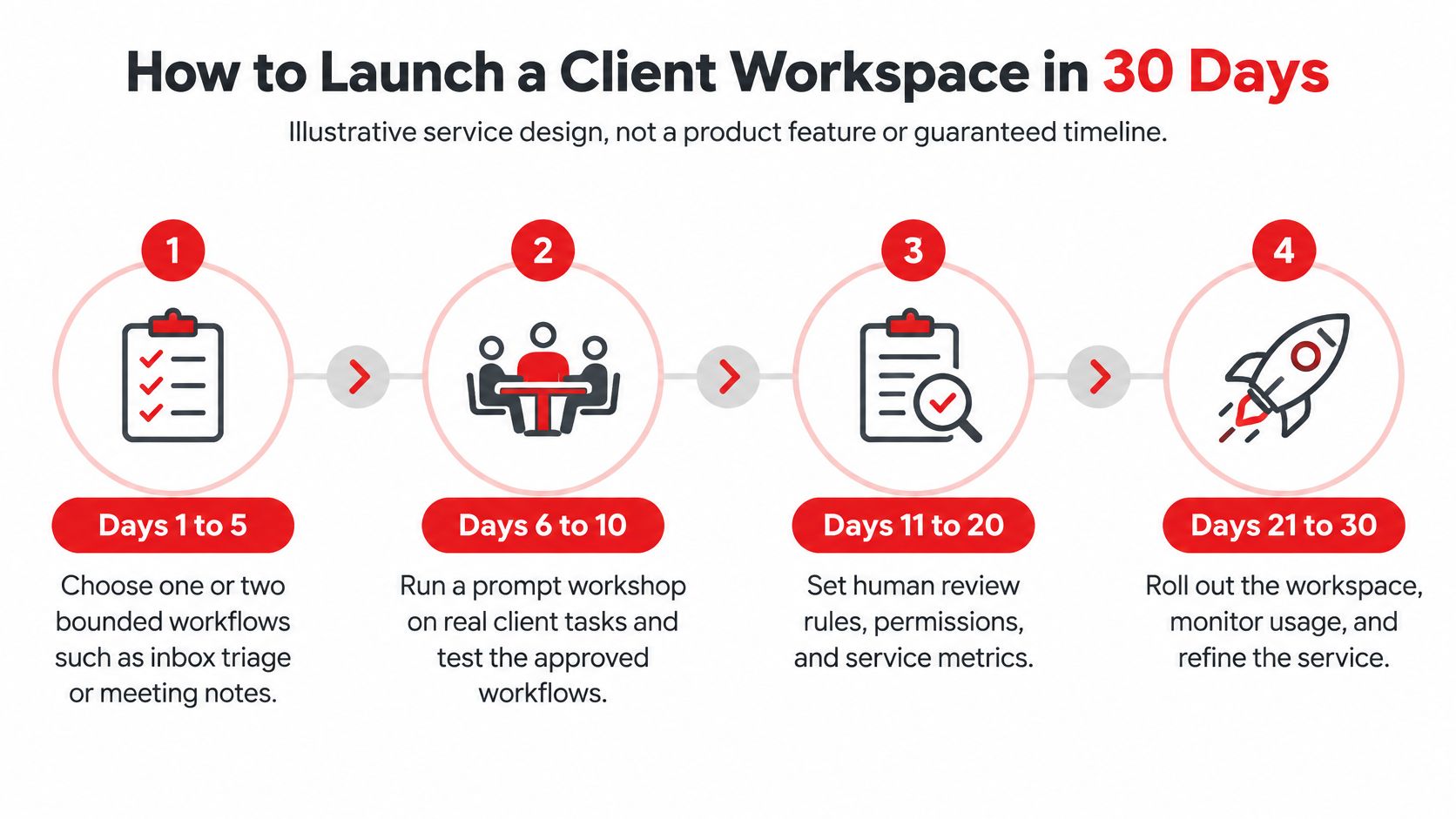
This 30-day calendar is an illustrative service design, not a product feature or a guaranteed delivery timeline. Procurement, privacy review, or unresolved deployment questions may require the MSP to pause rather than compress approval work.
Days 1 to 5, choose bounded workflows. Start with one or two tasks, such as first-draft emails, internal research summaries, or task checklists. Define an observable outcome, such as a reviewed draft requiring fewer correction cycles. Avoid an open-ended instruction to use AI wherever it helps.
Days 1 to 5, establish authority and data rules. Name the business owner and technical administrator, list permitted users, and document what may be submitted. Specify prohibited material and retention requirements, then confirm that the proposed deployment can support them. Record policy acceptance before granting pilot access.
Days 6 to 10, run a task-based workshop. Use real but non-sensitive work. Show an approved example beside a refused example, such as a public service-description draft versus a confidential client memo. Staff should practice recognizing the boundary, not merely copying a successful prompt.
Days 6 to 20, operate the pilot. Keep the user group small enough for meaningful supervision. Apply the output-use review rules and log elapsed task time, corrections, and escalations. Include unsuccessful attempts so that the evaluation doesn't count only the drafts employees liked.
Days 21 to 25, make the evidence decision. Review results with the workflow owner using baseline quality, corrected cycle time, and the agreed outcome. Expand only when that owner accepts the evidence. The go or no-go decision belongs to the workflow owner, not the administrator who provisioned access.
Days 26 to 30, establish steady service. Document the incident route, access-change process, model-change notes, and monthly review of usage and sampled outputs. Assign ownership for unresolved issues and confirm how departing employees lose access. A successful pilot still needs an operating handoff.
Set a real stop condition
A pilot should stop when the MSP can't establish the required data boundary, when reviewers can't reliably verify output, or when serious errors remain unresolved. Adding users doesn't fix an unsuitable task.
The launch record should preserve the approved task description, representative inputs and outputs, reviewer decisions, and outstanding limitations. Store only the evidence the client's data policy permits. An evaluation log shouldn't become an uncontrolled copy of sensitive submissions.
Launch gate: An owner's acceptance of documented evidence matters more than a busy workspace.
This staged method follows the lifecycle approach of NIST's Generative AI Risk Management Framework profile: govern the use, map the risks, measure performance, and manage changes. NIST's profile is voluntary guidance, not certification of a vendor or a guarantee that the deployment complies with every applicable obligation.
Budgets Workshops and Service Review Metrics
A prompt workshop should work through the client's tasks, not tour a menu of models. Bring three allowed workflows, a refused data example, and the review requirement for each task. Staff should practice submitting only permitted material and routing uncertain output to the right person.
The OECD's report on generative AI and the SME workforce reports that 57% of non-adopting SMEs viewed generative AI as unsuitable for their work, while 50% cited employee skill shortages. Those barriers call for workflow selection and practical training, not an assumption that more access will create value.
Establish the baseline before expansion
Record typical task cycle time, how often a draft is usable, and who performs corrections before widening access. Include review and rework in the assisted process. Measuring only the time until text appears excludes work the client still has to do.
| Metric | How to compute | What it does not prove |
|---|---|---|
| Adoption by workflow | Count active users of each approved workflow | That outputs were useful or accurate |
| Correction share | Reviewed outputs needing a factual or instruction fix, divided by reviewed outputs | That unreviewed outputs are compliant |
| Policy exceptions | Count logged cases where restricted material was used or approved | That no sensitive item went unseen |
| Training completion | Pilot staff who finished the prompt workshop, divided by pilot staff | That staff apply the rules |
| Cycle time | Compare typical time per task before wide access and after, including review | Savings on their own |
| Client-agreed outcome | Measure the business result the client chose to watch | Any guaranteed result |
| Usage against ceiling | Compare spend or message volume with the team monthly ceiling | Savings or ROI |
Illustrative review line: Marketing completed 12 reviewed first drafts, four needed a factual rewrite, and no client memo was submitted in the recorded workflow. That supports a conversation about draft quality and submission behavior. It isn't an ROI calculation or proof that no prohibited material entered another system.

Use budgets to manage service consumption
Where the deployment exposes team budget controls, agree on a monthly ceiling and identify who receives an alert or report when consumption climbs. Confirm whether reaching the ceiling blocks usage, triggers notification, or requires a manual response. Don't promise enforcement behavior without verifying it.
- Rising use with stable quality: Investigate whether the team has found a repeatable, approved task.
- Rising use with heavy correction: Narrow the workflow or change its instructions and model before adding seats.
- Low use after training: Ask whether the task fits the employee's work and whether review creates disproportionate effort.
A consumption report explains activity and cost exposure. The client-agreed outcome determines whether that activity was worth supporting.
Adoption Support Flows and Reporting to Confirm
Give each role a usable support route
Each role needs a short usage note explaining approved tasks, submission restrictions, review responsibilities, and where to get help. A team champion can answer routine task questions and reinforce examples. Schedule a refresher when the workflow changes rather than relying on the original onboarding indefinitely.
The normal route should be explicit:
- Routine usage question: The employee asks the team champion.
- Unresolved technical issue: The champion escalates to the technical administrator.
- Data-policy concern or incident: The employee uses the business-owner and MSP incident route directly, without waiting for routine troubleshooting.
Response-time commitments remain open until the support split is agreed. Veevoo confirms service levels and support responsibilities in a separate agreement; the MSP should align its client commitments with that boundary.
Keep connections and reporting evidence explicit
File storage, ticketing, identity, and other requested business-system connections belong on an open integration register. For each connection, record the requested workflow, data access, authentication owner, and required permission level. A connection isn't supported because it would make the demonstration more convenient.
Supported connectors must be confirmed against the product scope and the separate agreement. Until then, proposals should describe the desired connection as an evaluation item, not an included capability.
The quarterly service pack should contain the workflow metrics, policy-exception log, and client-agreed outcome. The monthly operational note should cover usage, sampled-output findings, and actions assigned to named owners.
For report design, the automated monthly reporting reference is a separate product reference, not evidence that an AI workspace includes equivalent automation or integrations. Any proposed AI reporting workflow needs its own confirmation.
A useful service report names the decision, the owner, and the next action. A chart of message volume alone does none of those things.
Usage and moderation reports are inputs to that discussion. They don't establish financial return or compliance, and they shouldn't be labeled as either in a client-facing pack.
Confirm Fit Before You Sell Access
Sell access only when the commercial scope makes clear what the client is buying and who will operate it. Unresolved data boundaries or unclear review ownership can undermine a launch.
Require a written pilot scope
Before committing, document:
- Workflows in scope: The permitted tasks and the material employees may submit.
- Deployment path: The proposed environment and its operating responsibilities.
- Business owner and reviewer: The people authorized to approve the workflow and review its outputs.
- Pilot usage ceiling: The consumption boundary and who will review it.
The readiness test is straightforward: Can the MSP name the allowed tasks, the review rule, and the person who receives the usage report? If not, resolve those points before announcing a client launch.
Separate the conversation from the agreement
Veevoo is a software distribution partner, not the software vendor. Its first conversation about Prox.ia covers AI use cases, controls, and deployment needs. The fifteen-minute conversation with LeeJay Stewart can cover IT visibility needs, AI service plans, or both.
Bring a client use case and the pilot scope to the conversation. Contact Veevoo at info@veevooinc.com or (813) 445-3966. An inquiry does not create a purchase obligation or confirm an appointment.
Availability, supported connectors, model access, deployment, pricing, service levels, support responsibilities, and reseller terms are confirmed in a separate agreement. Website examples do not guarantee savings, revenue, productivity, or a particular technical outcome.
The decision is whether the MSP and client can agree on a supportable way to use AI outputs, including who reviews them and how usage is managed.
Veevoo, Inc. offers software distribution and enablement for MSPs evaluating Prox.ia client AI services. To discuss a client use case, controls, or deployment needs, email info@veevooinc.com or call (813) 445-3966.