
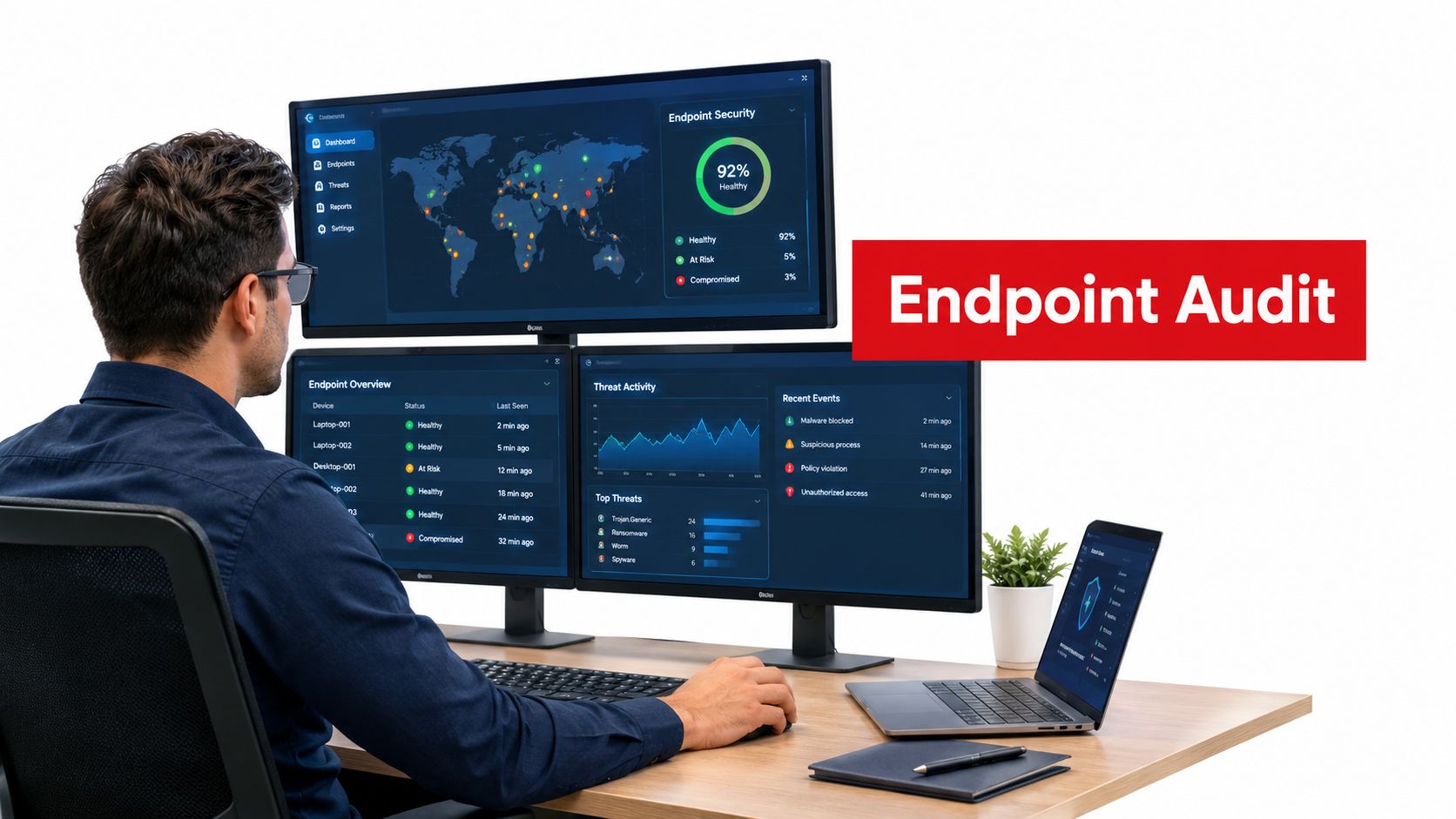
A quarterly business review can expose a security gap that the RMM dashboard never showed. The dashboard reports enrolled devices, the EDR console shows active sensors, and the client assumes those two views describe the same environment. Then a contractor laptop, inherited tenant, or remote system appears in a separate inventory, with no clear owner and no recent protection evidence.
An endpoint security audit should test whether every relevant device is known, assigned, protected, and remediated. It shouldn't merely confirm that agents were purchased or installed. Verizon's 2024 Data Breach Investigations Report analyzed 30,458 real-world security incidents, including 10,626 confirmed breaches, and reported an 180% year-over-year increase in vulnerability exploitation as an initial pathway into breaches. For an MSP, that makes inventory accuracy and remediation evidence operational controls, not administrative details.
Table of Contents
- Why Endpoint Audits Miss the Devices That Matter Most
- Defining Scope and the Authoritative Endpoint Population
- Discovering Devices Across RMM, EDR, Identity, and Network Sources
- Reconciling Inventories Into One Coverage Map
- Scoring Findings and Prioritizing the Remediation Queue
- Reporting Audit Results and Running the Client QBR
Why Endpoint Audits Miss the Devices That Matter Most
A QBR can expose a gap that looked invisible all quarter. The RMM report shows enrolled devices, EDR shows active sensors, and the client asks whether every device accessing business data appears in both. The answer becomes uncertain when identity records, network observations, PSA tickets, procurement data, and license assignments tell different stories.
Agent counts are easy to export, so many audits begin there. That starting point excludes equipment outside the standard workstation pattern, including contractor laptops, kiosks, IoT controllers, mobile devices, and firmware-managed systems. It also misses laptops offline during collection, assets inherited from a previous provider, and retired devices that remain active in a tenant.
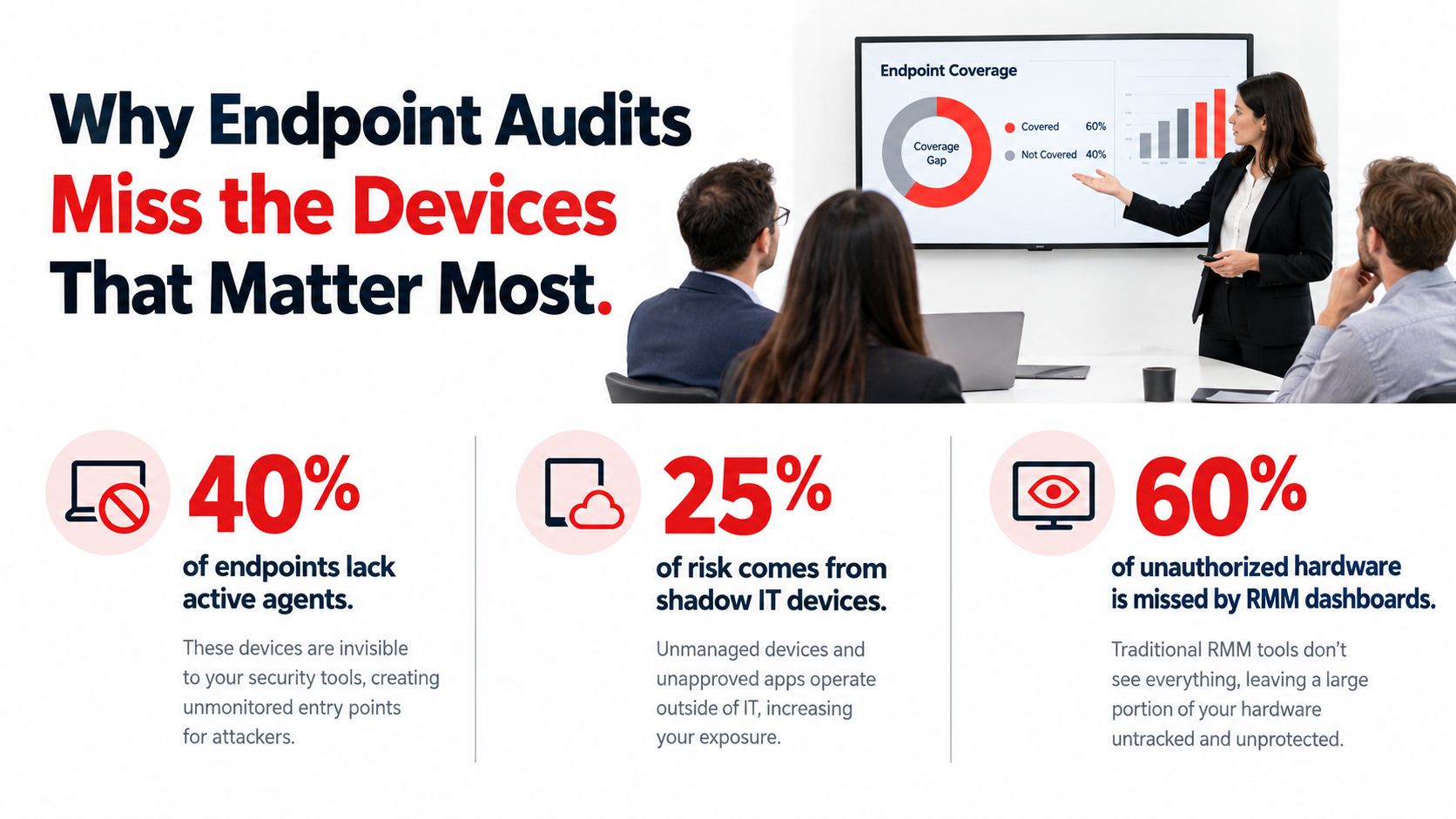
The 2024 DBIR findings connect vulnerability exploitation with weaknesses such as MOVEit. The operational lesson is straightforward: an endpoint absent from the audit may also be absent from patch validation, vulnerability remediation, and ownership follow-up.
A green console isn't a complete control
An RMM check-in proves that an agent communicated recently. It does not prove that every authorized user device is enrolled. An online EDR sensor confirms protection for that sensor, not the absence of unmanaged access elsewhere in the client environment.
Quarterly collection introduces timing gaps. A laptop can be off-network, a newly purchased device can miss the export, and a client with multiple Microsoft tenants, inherited domains, segmented VLANs, or separate cloud administration can produce several partial inventories. Each view may look accurate alone while the combined coverage remains incomplete.
An unknown endpoint is not compliant. Place it in a separate coverage population until its owner, authorization, and protection status are resolved.
The audit therefore works as a coverage-integrity exercise, not an agent-installation checklist. Reconcile RMM, EDR, identity, network, PSA, and license evidence into one evidence set. Match records by hostname, serial number, user, tenant, and other available identifiers, then investigate unmatched and conflicting records rather than averaging them away.
Every mismatch becomes a queue item with an owner, a due date, and a closure timestamp. That queue must distinguish stale records from genuine exposure, because deleting an old asset can improve a dashboard while concealing a missing device. The result is a defensible test of whether endpoint controls operate across the client environment.
Defining Scope and the Authoritative Endpoint Population
Before opening an RMM or EDR console, the MSP should define what the audit is meant to cover. The scope should identify the client, collection period, business units, locations, device classes, access environments, and exclusions. It should also state what success means, such as ownership attribution, baseline evaluation, documented exceptions, and verified closure of critical findings.
The population becomes the audit denominator. Without a fixed denominator, a coverage percentage can improve merely because unobserved devices were left out. The CIS Controls require an accurate, detailed, and current inventory covering end-user devices, portable and mobile devices, network devices, IoT devices, servers, remotely connected assets, virtual assets, and cloud assets. The CIS Controls Navigator also identifies ownership, department, network address where applicable, hardware address, machine name, and network-connection authorization as relevant inventory fields.
Establish the population before collecting evidence
A practical scope record should distinguish included assets from excluded assets. Corporate-issued Windows, macOS, and Linux endpoints normally belong in the population. Contractor BYOD devices with managed profiles should be included when they access client systems. Mobile devices, network equipment, and virtual assets require an explicit treatment rather than an assumption that they are someone else's responsibility.
Operational technology may be out of scope, but the exclusion needs an owner, rationale, and compensating review path. An out-of-scope OT device still affects the client's exposure if it shares credentials, network routes, or administrative access with in-scope systems.
The population should be pinned to identity records, such as Entra ID or on-premises Active Directory, and compared with the client's latest physical or virtual asset register. A frozen population ID, recorded with the audit timestamp, prevents the denominator from drifting while collection is underway.
| Field | Example Value | Source of Truth |
|---|---|---|
| Device class | Corporate laptop | Asset register and RMM |
| Assigned owner | Named employee or contractor | Entra ID, AD, or HR record |
| Management status | RMM managed, EDR protected | RMM and EDR consoles |
| Authorization | Approved to connect | Identity and network policy records |
| Lifecycle state | Active, pending retirement, or retired | PSA and asset register |
| Audit population ID | Frozen collection record | MSP audit workspace |
Treat unknown as a defined outcome
The audit should classify devices as compliant, noncompliant, or unknown/unobserved. A device with no recent check-in isn't automatically noncompliant, because the evidence may be stale. It also isn't compliant, because current protection hasn't been verified.
The CIS asset-management guidance treats unauthorized and unmanaged assets as a distinct security problem. Its recommended process includes addressing unauthorized assets on a weekly basis, with removal, remote-access denial, or quarantine as possible responses. That cadence gives the MSP a concrete follow-up control for devices discovered outside the approved population.
Discovering Devices Across RMM, EDR, Identity, and Network Sources
No individual source provides the full endpoint picture. Each system records a different relationship with the device, so discovery should begin with exports rather than screenshots. The collection should preserve the source name, extraction timestamp, device identifier, owner reference, and last-observed state.
The RMM export should include agent last-check-in, operating system, hardware identifier, and management status. The EDR export should include sensor state, operating system, agent version, and the last telemetry time. These records answer whether the MSP expects to manage or protect the device, but neither proves that every device in the client environment has been discovered.
Use each source for what it can actually prove
Identity sources reveal device objects, user assignments, last sign-in activity, and disabled-user relationships. They can expose stale computer objects and devices tied to former employees, but they won't necessarily show a device that never joined the directory.
Network data adds another perspective. DHCP leases, switch observations, ARP records, and NetFlow can identify devices that communicate on the environment even when they lack an RMM or EDR agent. VLAN segmentation, wireless infrastructure, and short-lived leases can limit what a particular network export captures, so absence from one segment isn't proof of absence from the client environment.
Cloud and SaaS administration records can reveal devices accessing Microsoft 365, Intune-managed assets, and other business applications. Help desk history adds lifecycle evidence, including recently provisioned laptops, break-fix devices, loaners, and systems awaiting return.
| Source System | Devices Visible | Common Blind Spots |
|---|---|---|
| RMM | Managed endpoints, OS details, last check-in | Unmanaged, offline, or incorrectly enrolled devices |
| EDR | Devices with sensors and telemetry | Devices without sensors, retired sensors, unsupported platforms |
| Entra ID or AD | Registered and joined device objects | Stale objects, personal devices, systems outside the directory |
| DHCP, switch, or network records | Devices communicating on observed segments | Segmented VLANs, intermittent devices, incomplete collection |
| Intune and cloud administration | Cloud-managed or cloud-accessing devices | Local-only assets and services outside the collected tenant |
| PSA and help desk | Purchased, billed, supported, or recently serviced assets | Unrecorded purchases and assets never tied to a ticket |
An MSP can use Volgap's multi-tenant identity visibility as part of a broader reconciliation workflow, subject to confirming the supported connectors and the MSP's stack. The important operating principle is that the platform complements RMM, PSA, and security tools. It doesn't replace their underlying management or detection functions.
Preserve evidence instead of relying on live views
The audit record should retain raw exports before normalization. That makes it possible to explain why a device was merged, aged out, escalated, or marked unknown. It also protects the QBR from a common dispute, where a live console has changed since the audit collection and no one can reproduce the original finding.
A source-specific confidence field helps. A recent RMM check-in supports management status, an EDR sensor supports telemetry status, and a network observation supports presence. None of those facts should stand in for the others without explicit designation.
Reconciling Inventories Into One Coverage Map
The reconciliation table should contain one row per real device, not one row per record in each tool. The join process starts with the strongest identifiers available, such as serial number or hardware hash, then uses hostname, user assignment, operating system, and network evidence to investigate unresolved matches.
A duplicate hostname shouldn't be merged automatically. Shared names, rebuilt systems, virtual machines, and reused assets can create false joins. When the identity is uncertain, the row stays unresolved and receives an owner rather than disappearing into a clean-looking total.
Build the working matrix
Each row should show the device identity, owner, source records, management state, protection state, last check-in, lifecycle status, and next action. Three categories make the QBR easier to understand:
- Managed-covered: The device belongs to the approved population, reports to the expected management system, has expected security telemetry, and meets the relevant baseline.
- Partial-coverage: The device is known, but one control is missing or stale. Examples include an RMM-managed laptop without current EDR telemetry or an identity device with no matching asset record.
- Unmanaged-shadow: The device appears in network, cloud, procurement, or identity data without an authorized management and protection path.
| Source Combination | Coverage Status | Action / Owner | Closure SLA |
|---|---|---|---|
| RMM, EDR, identity, and asset record match | Managed-covered | Service delivery validates baseline evidence | Per client policy |
| RMM and identity match, EDR absent | Partial-coverage | Security owner enrolls or documents exception | Based on exposure |
| EDR and network match, no RMM record | Partial-coverage | Operations verifies ownership and management path | Based on business criticality |
| Network observation with no identity or asset match | Unmanaged-shadow | Client IT investigates, quarantines, or authorizes | Weekly review |
| Asset record exists, no recent telemetry | Unknown/unobserved | Assigned owner confirms status and last use | Before audit closure |
| Retired asset appears in a console | Lifecycle mismatch | Asset owner removes record after evidence review | Per retirement process |
Not every mismatch deserves the same escalation. A duplicate record with matching serial number and current telemetry can be safely merged after evidence is retained. A stale RMM record with no network, identity, or asset activity can be aged out under a documented rule. A device that appears in network observations but lacks ownership should not be closed as noise.
Apply aging rules consistently
RMM, EDR, and AD records need separate aging rules because they represent different events. A management check-in indicates agent communication. EDR telemetry indicates sensor activity. An AD sign-in indicates directory interaction. None automatically confirms that the device remains authorized or operational.
Lifecycle planning should be part of the same review. Volgap's hardware, warranty, and OS lifecycle workflow is relevant when an endpoint is technically managed but approaching replacement, running an unsupported operating system, or assigned to a user who no longer needs it. Any documented capability or connector coverage should be confirmed against the MSP's environment before it becomes part of the audit method.
The strongest reconciliation output includes a timestamp, source system, owner, management state, protection state, and remediation status. It also reports the denominator separately from the exceptions. That prevents a polished coverage result from hiding devices that were never observed.
Scoring Findings and Prioritizing the Remediation Queue
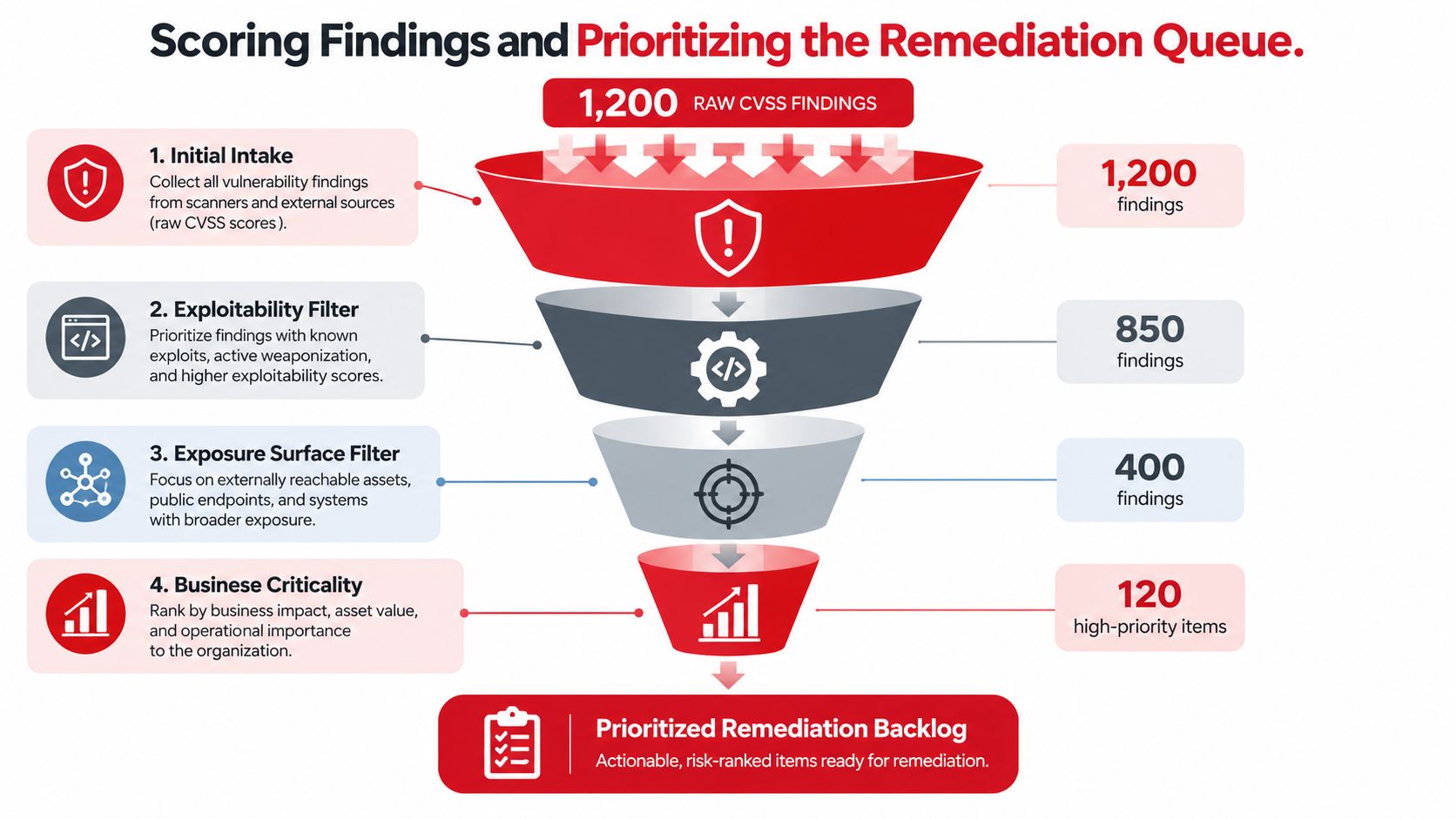
A reconciliation finding becomes useful when it tells the service team what to do next. Raw vulnerability severity can help describe a technical condition, but it doesn't establish business priority on its own. The same missing control can carry different consequences on a point-of-sale terminal, a finance administrator's laptop, and a breakroom kiosk.
The queue should score each item against exploitability, exposure surface, and business criticality. Exploitability asks whether attackers are actively using or can realistically abuse the weakness. Exposure considers internet access, remote access, lateral reach, privileged connections, and network placement. Business criticality considers the device's role and the sensitivity of the data or systems it can reach.
Separate urgency from administrative completeness
The 2025 Data Breach Investigations Report executive summary examined more than 22,000 security incidents and 12,195 confirmed breaches. It reported credential abuse in 22% of breaches, vulnerability exploitation in 20%, and a 34% increase in vulnerability exploitation compared with the prior year. The report also found that only about 54% of targeted edge-device and VPN vulnerabilities were fully remediated, with a median remediation time of 32 days.
Those findings support a queue that measures closure, not just assignment. A ticket saying “patch deployed” isn't enough if the endpoint hasn't checked in, the device needs a reboot, or a rescan still identifies the vulnerability.
A practical queue record includes:
- Asset and owner: Identify the endpoint, user, business unit, and accountable remediation owner.
- Technical condition: Record the OS build, software or vulnerability identifier, missing agent, stale telemetry, or unauthorized status.
- Risk context: Note exploit status, exposure, business criticality, and compensating controls.
- Due date and evidence: Assign a deadline, record the action, and require rescan or endpoint telemetry before closure.
- Exception treatment: Capture risk acceptance, expiration, approver, and next review when remediation cannot occur immediately.
The 30/60/90-day cadence should reflect risk rather than serve as an automatic promise. A vulnerable, internet-exposed system with privileged access may need immediate handling. A low-exposure kiosk with a documented replacement plan may fit a later window, provided the owner and compensating controls are explicit.
Make prioritization defensible in the QBR
Client pushback is easier to handle when the queue shows its reasoning. A client may ask why a point-of-sale terminal is ahead of a general office workstation. The answer should identify the terminal's role, connectivity, data access, exploitability, and consequence of compromise, not rely on a generic severity label.
Closure requires independent evidence. The team should sample closed items and compare the ticket with current endpoint state. If a reboot-dependent patch remains incomplete or an EDR sensor is still offline, the finding reopens. Verizon's 2026 DBIR healthcare snapshot reported vulnerability exploitation as the initial access vector in 31% of breaches, only 26% of CISA Known Exploited Vulnerabilities fully remediated, and a median full-resolution time of 43 days. The figures reinforce why time-to-remediation and aged exceptions belong beside remediation rate.
Reporting Audit Results and Running the Client QBR
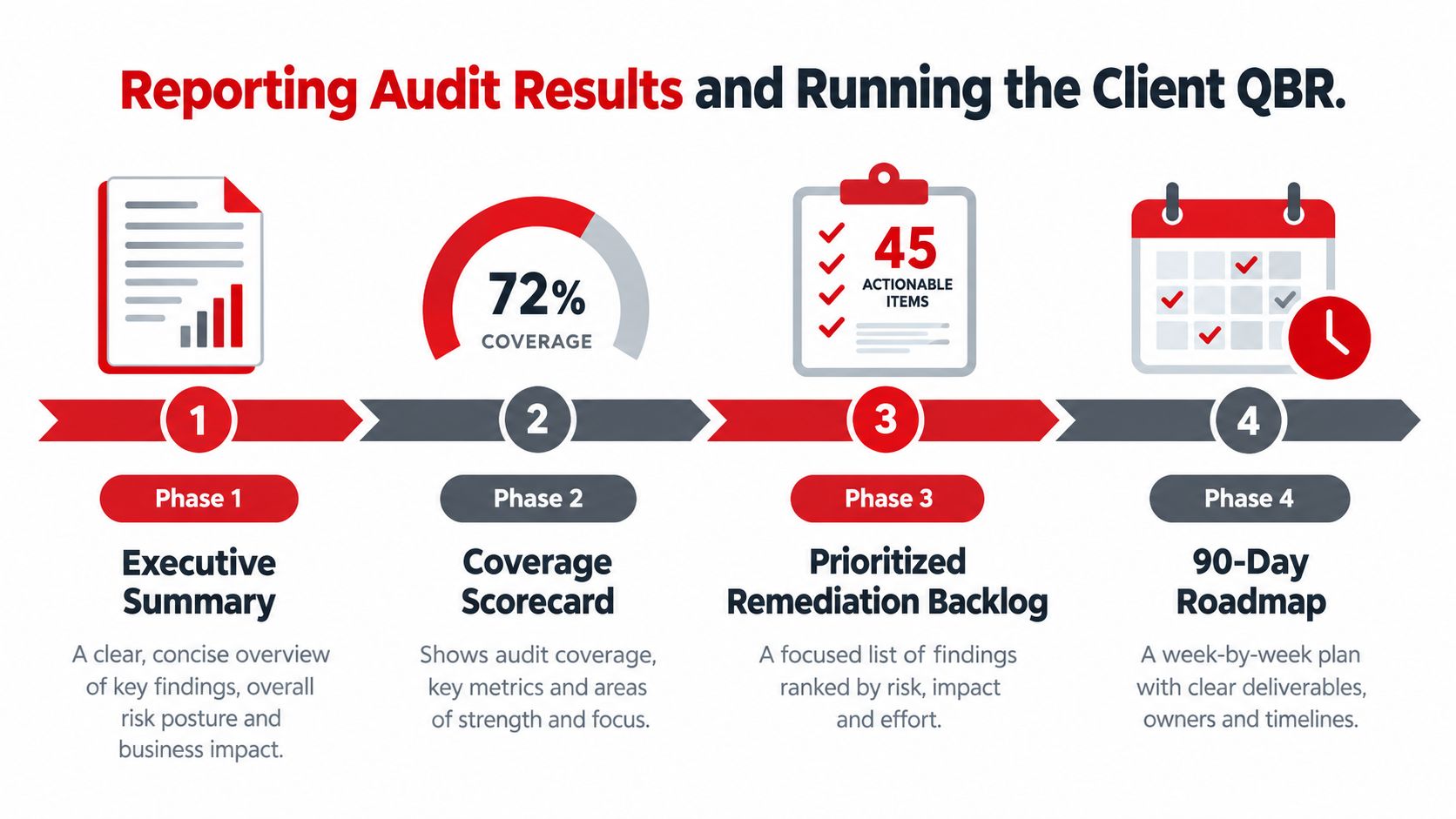
The client report should answer four questions in order: what exists, what is covered, what matters most, and who will act next. A long export of device records doesn't answer those questions. A useful deliverable turns the reconciliation table into an executive summary, a coverage scorecard, a prioritized backlog, and a 90-day operating plan.
The executive summary should state the audit scope, collection date, population definition, material coverage gaps, and decisions needed from the client. The scorecard should separate managed-covered, partial-coverage, unmanaged-shadow, and unknown/unobserved populations. It should also show the denominator and explain any exclusions.
Use the QBR to secure ownership
A practical agenda keeps the meeting focused:
- Confirm scope and evidence: Validate the population, sources, timestamps, and exclusions before discussing performance.
- Review coverage integrity: Show where RMM, EDR, identity, network, PSA, and asset records agree or conflict.
- Discuss the remediation queue: Review high-risk items by owner, due date, exposure, and closure evidence.
- Approve the roadmap: Convert accepted actions into service tickets, client tasks, lifecycle projects, or documented exceptions.
- Set the next review: Record the cadence for aged exceptions, unauthorized assets, and retesting.
The language should describe coverage gaps as risk-reduction opportunities rather than client failures. That doesn't mean softening the evidence. It means connecting each gap to a decision, such as enrolling a device, removing a stale record, replacing unsupported hardware, restricting access, or accepting a defined residual risk.
A queue without ownership is just another report. Every action should have a named client or MSP owner, a due date, a status, and a closure timestamp. The client should sign off on exceptions and roadmap priorities, while the service team retains the evidence needed to verify completion.
Make reporting recurring and operational
A monthly report can maintain the evidence between quarterly reviews. Automated monthly reporting for Volgap can support recurring client reporting workflows, subject to confirming the relevant configuration and data sources. The report should highlight changes since the prior period, newly discovered devices, aging exceptions, unresolved ownership, and remediation evidence rather than repeating a static inventory.
The endpoint security audit then becomes a recurring control-validation process. The MSP can compare inventories, vulnerability findings, remediation tickets, and subsequent verification to distinguish deployed tools from effective protection. That is the difference between presenting a polished dashboard and giving the client a defensible account of what is protected, what is not, and what happens next.
Veevoo, Inc. helps MSPs use Volgap to reconcile management, identity, security, license, and billing data across client environments, supporting endpoint coverage reviews and client-ready reporting. Visit Veevoo, Inc. to discuss whether Volgap fits the MSP's current RMM, EDR, PSA, and reporting workflow.