

Illustrative scenario: a client's PSA bills for 42 endpoints while the RMM reports 47 agents. The service desk can't explain the difference, and the client wants a reliable count before approving the next invoice. Neither total is trustworthy until someone matches the underlying records and investigates the exceptions.
Table of Contents
- Scope the Audit Before You Pull Any Data
- Map Data Sources and Decide Which Record Wins
- Investigate Unmanaged and Unknown Devices
- How to Reconcile Records in Eight Steps
- Review Licenses and Disabled Users
- Common Audit Pitfalls and How to Fix Them
- Set Owners and a Cadence Before the Next Audit
- Turn Findings into Monthly and QBR Reports
Scope the Audit Before You Pull Any Data
A point-in-time IT asset audit starts with a scope sheet, not an export. Otherwise, technicians spend the reconciliation meeting debating whether contractor laptops, cloud servers, and spare machines belong in the count.
Flexera's 2024 State of ITAM Report, which surveyed 503 IT professionals and executive leaders globally, found that 53% of IT teams faced challenges gaining or maintaining complete visibility into technology investments. An MSP needs an explicit boundary before it can establish whether its own records are complete.
Make the scope decisions in order
- Choose environments and categories. Identify the client tenants, sites, remote workers, and asset classes included. Cloud resources, SaaS subscriptions, printers, and IoT devices deserve explicit entries because endpoint exports won't reliably cover them.
- Set the audit date and data cut-off. Record the time zone and distinguish activity before the cut-off from later changes. A device enrolled afterward shouldn't change the baseline unexpectedly.
- Define required fields. Capture enough information to establish identity, ownership, support responsibility, and commercial treatment. Empty required fields become exceptions rather than disappearing from the report.
- Record exclusions and reasons. Lab machines or personal devices may sit outside the managed contract. Their exclusion needs client approval, not an assumption that they don't matter.
Asset categories, required fields and why each matters
| Asset category | Fields to capture | Why it matters |
|---|---|---|
| Endpoints (laptops, desktops) | Hostname, serial number, MAC address, assigned user, OS version, warranty end | Drives billing, patch scope and refresh planning |
| Servers | Hostname, role, IP address, OS version, backup status, warranty end | Hosts client-critical workloads |
| Network devices | Model, serial number, management IP, firmware version, site | Often missing from endpoint-only views |
| Mobile devices | Model, OS version, owner, enrollment status | Lost track of when users change or leave |
| Cloud resources | Resource ID, account or subscription, owner, region | Billed outside the device count |
| SaaS subscriptions | Publisher, seat count, admin owner, renewal date | Subscription ownership never appears in an endpoint scan |
| Printers and IoT devices | Model, serial number, IP address, location | Often excluded, then discovered late |
Before collection begins, the scope sheet should contain the client name, in-scope categories, system of record for each category, named audit owner, audit date, and exclusion list. A client approver should sign off on boundaries that affect billing or support obligations.
Map Data Sources and Decide Which Record Wins
Every source has a blind spot. The RMM identifies agent-bearing devices, not every device the client operates; endpoint protection identifies protected devices, not whether those devices are authorized.
The PSA records commercial coverage, but billing changes can lag deployment. Directory services describe accounts and their enabled status, although shared, service, and machine accounts complicate ownership. Cloud consoles expose subscriptions, virtual machines, and storage, but resource owners and billing-account owners may differ.
Procurement contributes serial numbers, purchase dates, and warranty ends, sometimes with inconsistent typing. Service desk tickets explain moves, repairs, and retirements, but technicians often leave those details in free text.
| Field | Default precedence rule |
|---|---|
| Hostname | RMM, subject to a freshness check |
| Billing status | PSA contract or approved billing record |
| Warranty end | Procurement evidence |
| Assigned owner | Directory evidence confirmed by a client contact when ambiguous |
These are field-level rules, not permission to declare an entire system authoritative. Give every source a named export owner and export date, and retain the original file.
The Jacksonville Office of Inspector General's 2025 audit found that laptop and desktop records in Tivoli and Microsoft Intune failed to match for most deployed devices. Having management systems doesn't establish a reliable inventory.
Interpretation rule: A disagreement is evidence to investigate, not a reason to discard whichever record is inconvenient.
Illustrative example: a device has a recent RMM check-in but no PSA line item. Flag a potential billing gap and verify contract treatment rather than deleting the device to make totals agree.
Investigate Unmanaged and Unknown Devices
Unknown devices surface through identity sign-ins, network discovery, or support tickets mentioning machines absent from the asset register. A hostname alone rarely establishes whether the device belongs to the client, a contractor, or a neighboring network.
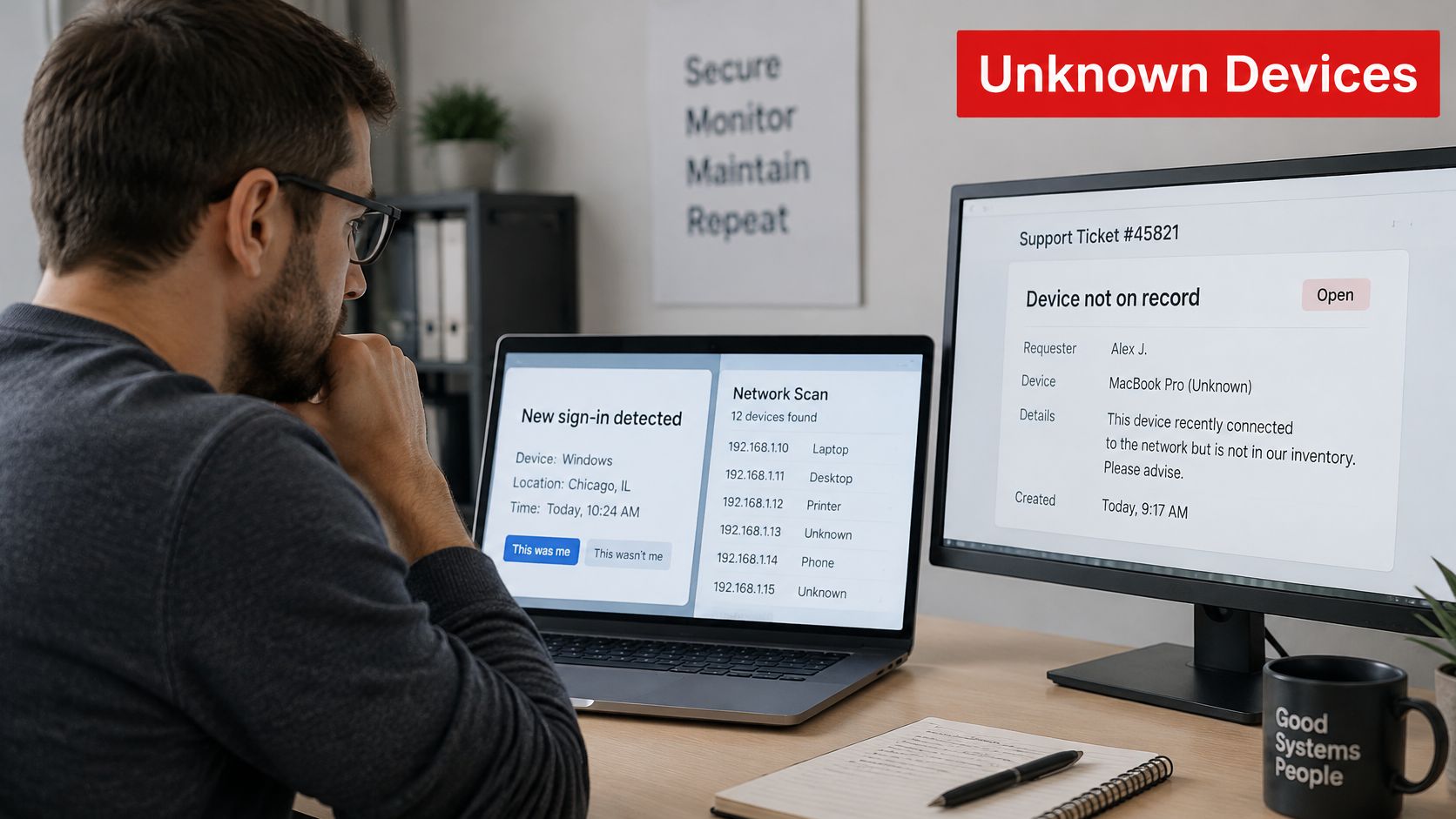
Follow the evidence before changing the device
Start with procurement and search for the serial number, including formatting variants. Next, inspect directory evidence for the last sign-in and account owner, recognizing that a user's sign-in doesn't prove device ownership.
Then check the PSA for a device line or applicable contract. If ownership remains unclear, contact the user or client office manager with the identifiers and discovery evidence attached.
Device statuses, required evidence and the action for each
| Status | Evidence needed | Action |
|---|---|---|
| Authorized | Approved record, named owner, recent check-in | Keep it and verify fields each cycle |
| Unmanaged | Known record, but no agent or no recent check-in | Enroll it or log a documented exception |
| Unknown | Sign-in or network evidence, no matching record | Confirm the owner before any change |
| Retired | Disposal, sale or return record, no recent activity | Remove it from active counts with the date |
| Pending verification | Partial match, evidence still missing | Set an owner and a due date |
Use these as primary audit statuses. Record protection, billing, and enrollment separately so an authorized device can still carry a coverage exception.
A missing check-in isn't proof of retirement. A traveling employee's laptop, a disconnected spare, and a disposed machine can produce the same apparent absence while requiring different actions.
Illustrative example: a laptop shows recent contractor-account sign-ins but has no procurement record. The client confirms the contractor's engagement and permits the device, so the auditor records it as authorized with a documented exception, named sponsor, and agreed support boundary.
No device should be removed or wiped on inventory evidence alone. Retirement or unauthorized status must be confirmed, and any destructive action needs explicit approval.
The MSP should set an unknown-device response target in its own client policy, with faster escalation for sensitive network segments or suspicious activity. That target is an operating decision, not a universal audit standard.
How to Reconcile Records in Eight Steps
The CIS enterprise asset inventory control expects fields including network address where applicable, hardware address, machine name, owner, department, and network-approval status. Reconciliation turns those fields into an evidence-backed register.
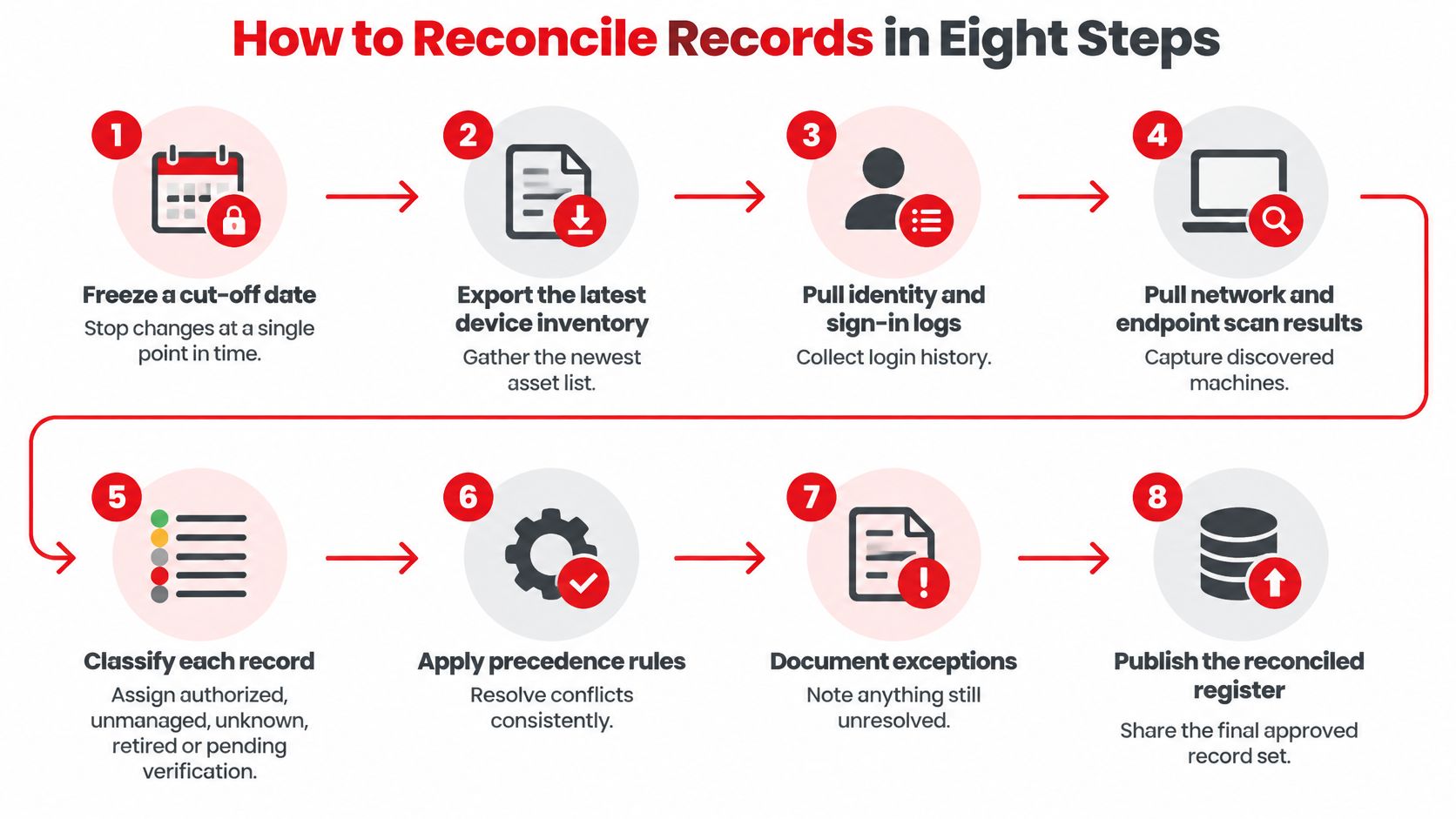
- Freeze the cut-off. Export every source with the cut-off and extraction date in its filename. Preserve originals so later corrections remain traceable.
- Normalize identifiers. Uppercase hostnames and remove domain suffixes in matching columns; strip serial-number spaces and standardize MAC formatting. Preserve full cloud resource IDs and express owners as email addresses.
- Merge duplicates cautiously. Match serial numbers first, then MAC addresses, then hostnames with last-seen evidence. Placeholder serials, cloned systems, and reused names require manual review.
- Flag conflicts. Examples include a serial assigned to different owners or a contract covering retired hardware. Apply field precedence without overwriting the conflicting evidence.
- Classify every record. Assign authorized, unmanaged, unknown, retired, or pending verification. Unresolved records must remain visible.
- Rank exceptions. Prioritize business criticality and exposure. A domain controller or privileged finance laptop warrants attention before an isolated spare.
- Assign accountability. Give each exception an actionable owner and due date. A queue name alone isn't ownership.
- Verify the fix. Check fresh evidence after remediation. Closing a ticket doesn't establish that connected records now agree.
Track reconciliation coverage separately by category: discovered assets mapped to approved records with named owners. Illustratively, 389 approved endpoints out of 412 discovered endpoints produce 94.4% coverage.
Preserve lifecycle evidence
Retain warranty and OS fields during matching rather than rebuilding them later. The hardware, warranty and OS lifecycle planning overview provides a relevant evaluation checklist.
Review Licenses and Disabled Users
License reviews should start with spend that should have stopped and access that should have ended. In Flexera's 2025 global survey of 506 IT professionals, 45% of organizations reported paying more than $1 million in software-audit expenses during the previous three years.
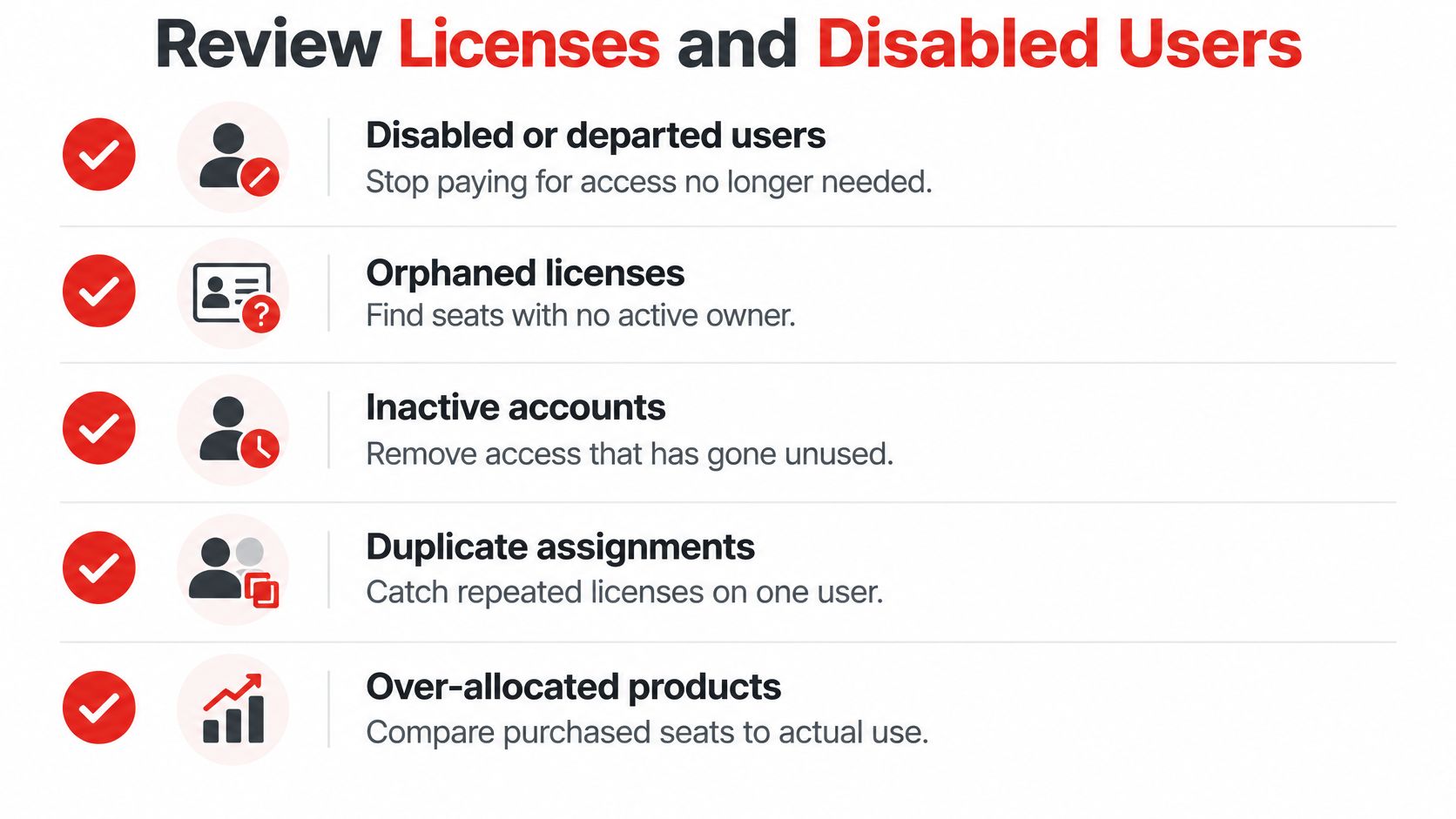
Run the checks in this order:
- Disabled or departed users. Export account status and last sign-in, then compare against paid assignments. An illustrative policy could flag accounts disabled longer than 30 days; HR or the manager must confirm before reclamation.
- Shared and service accounts. Find paid licenses without accountable owners. Validate application dependencies before removing anything.
- User-based entitlements. Check whether staff mistakenly counted devices instead of licensed users. Compare assignments with the actual agreement.
- SaaS subscriptions. Inspect administrator portals and purchasing records because locally installed software won't reveal every subscription.
- Duplicate or orphaned subscriptions. Investigate overlapping purchases after migrations. Preserve access needed for retention, exports, or contractual obligations.
Verify application-level removal
Deleting a PSA record or disabling a directory account doesn't guarantee revocation in every connected application. Confirm access removal and license reassignment within each relevant service, and retain the administrator evidence.
For Microsoft environments, the Microsoft 365 license-management overview is a useful starting point for evaluating the supported workflow. Establish a quarterly client review and record removal, reassignment, renewal, or exception decisions in the register.
Common Audit Pitfalls and How to Fix Them
Comfortable assumptions undermine audits: the RMM must be right, endpoint coverage must represent the entire estate, and a tidy report must mean compliance. None is a defensible conclusion without checking scope, evidence, and the applicable obligations.
Disposed hardware can remain active because nobody updated the lifecycle record. User-based licenses can appear sufficient because someone counted installations instead of people. These are process failures disguised as inventory discrepancies.
Audit symptoms, likely causes and remediation plays
| Symptom | Likely cause | Remediation play |
|---|---|---|
| Device counts differ by more than a few percent between RMM and PSA | Onboarding or billing changes not recorded | Match by serial, update the PSA, and track the gap by client |
| Devices appear in identity logs but in no inventory | No discovery source covers that network or cloud | Add the missing source, then classify each device |
| Disposed hardware still shows as active | No disposal step in the workflow | Require a disposal ticket that updates the record |
| Licenses held by disabled users | Offboarding does not reclaim licenses | Reclaim monthly and check each connected application |
| Cloud or SaaS spend missing from the audit | Scope limited to endpoints | Expand scope and name an owner for each cloud and SaaS service |
| The same finding reappears every cycle | Root cause sits in the process, not the record | Fix the workflow step that creates it, then recheck |
The percentage language in the first symptom is an investigation prompt, not a tolerance standard. A small count difference can still hide a critical server or a materially incorrect invoice.
Volgap findings don't certify compliance or replace a professional assessment. They require interpretation within the connected environment, including contract terms, source freshness, exclusions, and client-approved exceptions.
Process test: When a finding repeats across consecutive cycles, change the workflow that produces it, not just the affected record.
A workable remediation should identify the triggering event, responsible role, and verification evidence. For example, a disposal workflow should require an approved retirement ticket before active billing and management records are changed, with completion checked afterward.
Set Owners and a Cadence Before the Next Audit
The exception register is the audit's core deliverable. Each open item needs an ID, asset or identity, evidence, owner, due date, and status.
Exception register template with illustrative entries
| Exception ID | Asset or identity | Evidence | Owner | Due date | Status |
|---|---|---|---|---|---|
| EX-014 (illustrative) | Laptop, serial ending 3K2 | No RMM check-in in 45 days; no PSA line item | Service desk lead | Next agreed reconciliation deadline | Open |
| EX-015 (illustrative) | Former employee account with an active license | Account disabled 38 days ago | Client office manager | 2026-11-10 (illustrative) | Open |
Role labels in this template must resolve to named people in the working register. Device investigations usually belong with the service desk lead; employment and account-ownership confirmation often require the client office manager.
Schedule the baseline and follow-through
Set the point-in-time audit date first, then schedule monthly reconciliation. Reserve client decision time for exceptions the MSP can't resolve unilaterally.
Volgap brings inventory, protection, and billing into a client picture, with coverage, billing, and reporting features. It complements existing RMM, PSA, and security tools; Veevoo, Inc. distributes it and isn't the software vendor.
Before committing scope, check supported connectors and manufacturer coverage on the Volgap product page. Availability, connectors, deployment, pricing, service levels, support responsibilities, and reseller terms are confirmed in a separate agreement.
The MSP should leave planning with named owners and a scheduled baseline date. A Veevoo contact conversation lasts fifteen minutes with LeeJay Stewart and can focus on IT visibility needs and stack fit.
Turn Findings into Monthly and QBR Reports
The monthly summary should show coverage by asset category, exceptions opened and closed, and exception aging. Counts need a stable scope so the client can distinguish genuine improvement from a changed denominator.
Illustrative example: endpoint coverage moves from 94.4% to 96.1% over a month, while three cloud exceptions pass 30 days without resolution. Those figures aren't benchmarks; they demonstrate why better endpoint coverage doesn't excuse stalled cloud decisions.
Separate operational work from client decisions
| Output | What belongs in it | Expected action |
|---|---|---|
| Monthly summary | Category coverage, exception movement, aging, blocked items | Service delivery assigns and verifies work |
| QBR page | Trend across months, largest risks, decisions required | Client approves priorities, expenditure, or accepted exceptions |
| Register appendix | Evidence, ownership, deadlines, closure checks | Responsible staff execute and document remediation |
The quarterly business review should highlight the three largest risks and the decisions needed, such as approving another discovery source or retiring a stale contract. Keep the main page to a screen and attach the full register as an appendix.
Lifecycle planning should use procurement warranty dates, OS versions from endpoint records, vendor-confirmed support dates, and client-agreed refresh budgets. Illustrative planning groups can be refresh-now, refresh-within-12-months, and monitor, with an explicit reason for each assignment.
The automated monthly reporting overview can inform reporting evaluation, but the service delivery manager still owns the interpretation. A useful report explains what changed, what remains uncertain, and which person must act next.
Veevoo, Inc. distributes Volgap and helps MSPs evaluate its fit for cross-tool visibility, reconciliation, and customer reporting. Visit Veevoo, Inc. to discuss the existing stack and the evidence needed for a workable asset-audit baseline.