
A client comes to the monthly review with a familiar question. The spreadsheet says enough licenses are purchased, the RMM shows the software on fewer devices, and the PSA billing export still looks higher than expected. That gap is where audit surprises start, because license reconciliation is not a math exercise, it's a control process that has to survive messy definitions of “active” across identity, management, and billing systems.
MSPs feel that pain faster than most in-house IT teams. Client environments drift, users change roles, stale accounts linger, and vendor metrics rarely line up with how technicians count installations or seats. Public data shows why the issue keeps escalating, with 63% of organizations reporting a software audit or license review in the prior 18 to 24 months, and 21% facing true-up costs of $1 million or more in that period (software licensing statistics survey).
Table of Contents
- Why License Reconciliation Matters for MSPs
- Building a Defensible Inventory Baseline
- Normalizing Data Across Disconnected Tools
- Investigating Exceptions Before Reclaiming Seats
- Surfacing Gaps and Automating Client Reporting
- Establishing a Continuous Reconciliation Cadence
Why License Reconciliation Matters for MSPs
A vendor audit rarely starts with clean records. It starts when procurement, RMM discovery, identity status, and client billing all describe different versions of the same software estate, and someone has to defend the gap. The risk is not only under-licensing. It is also paying for software nobody can prove is still needed or correctly assigned.
Why the simple count breaks down
The old habit of matching purchase orders to installed applications misses the control problem. Procurement shows what was bought, discovery shows what was found, and neither one proves current use, contractual eligibility, or whether the license metric is user-based, device-based, or something more specific. A monthly reconciliation has to compare entitlements, installations, users, devices, usage rights, and contract terms before the vendor does.
Public data shows why the exposure keeps getting expensive. A software licensing statistics survey reported that 63% of organizations had a software audit or license review in the prior 18 to 24 months, and 21% faced true-up costs of $1 million or more (software licensing statistics survey).
Smaller businesses are not shielded. Even when the bill is lower, a true-up can still hit harder than the budget expected, especially if the client has been counting seats by one definition while the vendor counts them by another.
The hard part isn't finding software. It's proving that the same software is active, entitled, and billed under the same definition.
For MSPs, license reconciliation has to be treated like a governed service. The goal is to catch over-deployment, unused licenses, duplicate records, and unsupported installations early enough to protect renewals and avoid surprise liabilities. Volgap fits that operating model as a cross-tool visibility layer for reconciliation work, not as a replacement for the client's existing stack, and its product page is the right starting point for that conversation, Volgap.
Building a Defensible Inventory Baseline
A defensible baseline starts with more than one data source, because no single console can see every asset, user, and subscription state. The most reliable reconciliation workflows join endpoint-management data, identity-provider records, DNS and DHCP information, cloud consoles, and procurement records, then add SaaS applications, service accounts, and privileged identities where they matter. The point is to expose records that appear in only one system, not to trust one feed because it looks tidy.
Build the baseline in the right order
Start with managed coverage, then explain the gaps. One published ITAM benchmark defines managed coverage as devices with a management agent divided by devices seen on the network or in identity, with a directional target above 95% and any remainder explained. It also says ownerless assets should trend to zero at each monthly reconciliation, and orphaned accounts should do the same (ITAM benchmark).
The practical sequence is straightforward:
- Pull discovered endpoints and SaaS identities. Use the RMM or other management source first, then compare it with identity data and cloud admin views.
- Join identity status. Disabled users, stale connectors, and abandoned service accounts need to be separated from current staff before any license count is trusted.
- Overlay billing scope. PSA and billing exports matter because a client can be paying for managed coverage that the discovery stack never sees.
- Flag ownership gaps. Any endpoint or subscription without a named owner becomes a reconciliation exception, not a clean asset.
- Set the boundary. Treat each client separately so one environment's noise doesn't pollute another's report.
A single dashboard can hide incompatible definitions. The safest baseline is the one that shows what each source knows, what it misses, and where the record still needs human review.
Volgap's value in this stage is the join across management, identity, security, license, and billing data, which helps MSP teams see where the inventory is incomplete before they make a licensing decision. For teams that need a multi-tenant identity view in the same workflow, the companion page is useful, multi-tenant identity visibility.
Normalizing Data Across Disconnected Tools
Raw discovery and procurement speak different languages. One file may call the product by a display name, another by a publisher family, and a third by a licensing SKU that doesn't map cleanly to what technicians see on endpoints. The mistake is to compare those records as if they already mean the same thing.
Compare rights to deployment, not report to report
A clean reconciliation map has to normalize publisher, product, edition, version, metric, and user or device identifiers so duplicate rows collapse into one licensable product. That matters most when the contract licenses users but the discovery report lists installations, or when a cloud subscription bills seats but the usage data is really tied to feature access. The wrong comparison creates false confidence and bad remediation.
The better model is to classify each discrepancy before acting on it. An installed-but-unused app should not be treated the same way as a billed-but-unmanaged endpoint, and a disabled user with a live assignment is not the same as an active user with a valid seat. Each exception needs a confidence level, an owner, and a remediation date so the record can survive a client review.
A Microsoft-focused reconciliation workflow often uses Entra ID as the deployment source and checks for sign-in activity in the prior 90 days. The output should capture the date, methodology, data sources, query parameters, product-line variance, remediation actions, completion dates, and owner sign-off (Microsoft license reconciliation guidance). That approach is useful well beyond Microsoft because it forces the team to document the evidence behind the decision, not just the outcome.
| Discrepancy type | What it usually means | What to document |
|---|---|---|
| Installed but unused | Software is present, but the user or workflow may not justify the seat | Usage evidence, business owner, and next action |
| Billed but unmanaged | The client is paying for an endpoint or user the tools can't currently verify | Scope gap, source mismatch, and follow-up owner |
| Disabled user with access | The identity still has assignment risk, even if the person no longer needs it | Approval path, retention check, and reassignment plan |
Volgap is positioned for this kind of cross-tool normalization because it connects identity, license, and billing data instead of relying on one source to act like ground truth. For Microsoft-heavy environments, the relevant product page is the natural place to anchor that workflow, Microsoft 365 license management.
Investigating Exceptions Before Reclaiming Seats
A stale seat looks like easy savings until the account turns out to support retention, legal hold, delegated access, or a business-critical workflow. Reclaiming it too early can create a service problem that costs more to fix than the seat ever saved. That's why detection and action need separate gates.
Check the exception before the change
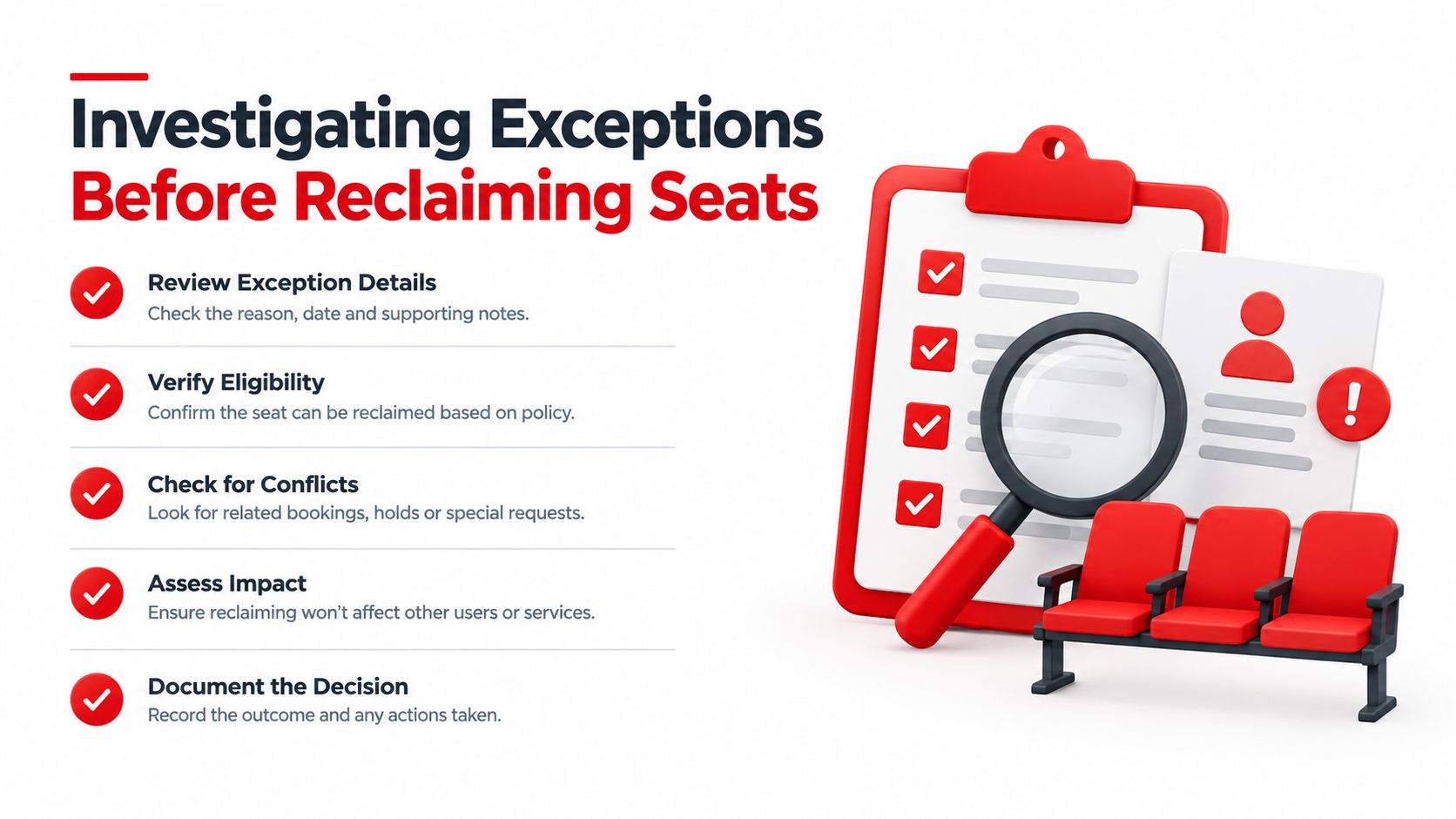
A good exception review starts with identity status. Is the user disabled, or just inactive in one system? Is the device retired, reassigned, or still tied to a backup process, mailbox, or app dependency? Those questions matter before the license is removed.
The same logic applies to service delivery ownership. The MSP may spot the mismatch, but the client has to approve changes that affect access, records, or contracts. A clean queue should show who owns the decision, what evidence supports it, and what risk gets created if the seat is reclaimed now versus later.
A published survey of 500 IT and software-management professionals found that 74% conduct license discovery and internal audits mostly or entirely in-house, while more than one-quarter spend $100,000 to $500,000 annually resolving compliance issues (CIODive coverage of the Azul survey). Those numbers don't mean every reclaimed seat is risky, but they do show why a loose cleanup process gets expensive when the wrong license is removed.
The practical checklist is simple:
- Confirm identity status. Disabled, departed, inactive, or reassigned each lead to a different action.
- Check access dependencies. Mailbox, delegated permissions, privileged groups, and shared workflows can all keep a license in use.
- Review retention needs. Legal hold, backup, and investigation requirements may require the account to remain intact.
- Validate owner approval. The technical finding is not enough by itself.
- Record the post-change check. Reconciliation doesn't end when the seat is removed.
Detection is the start of the workflow, not the finish. If the team can't explain why the seat is safe to reclaim, it isn't ready to reclaim.
For MSPs, the value of Volgap is in turning that review into a repeatable exception queue rather than a one-off cleanup sprint. The process stays governed, the evidence stays attached, and the client sees why the change was made instead of just seeing the license count drop.
Surfacing Gaps and Automating Client Reporting
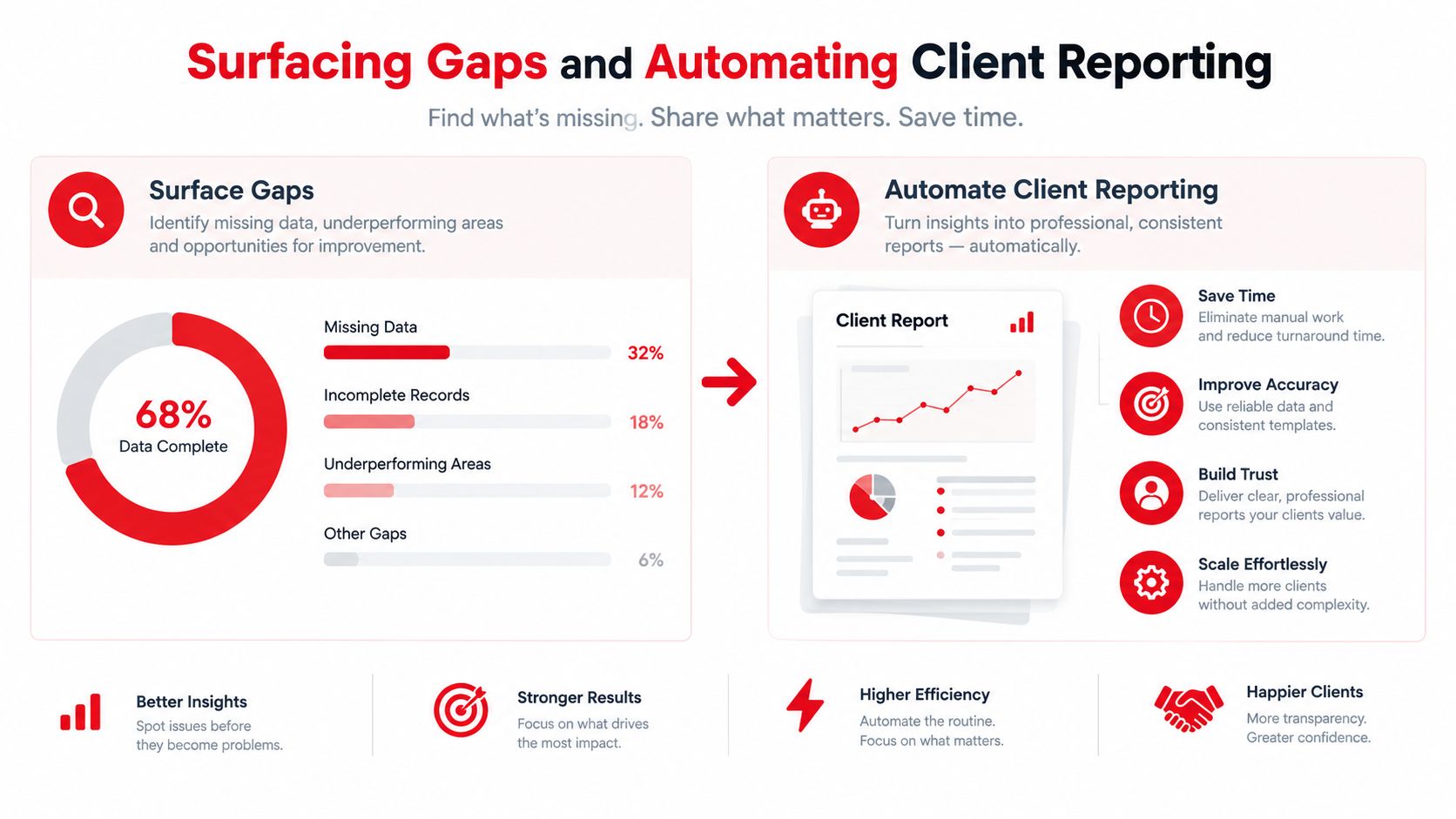
Reconciliation only pays off when the findings are visible to the client in plain language. A technical variance buried in a dashboard doesn't help a quarterly review, but a report that shows where coverage is incomplete, where seats are idle, and where billing no longer matches need gives the account manager something concrete to discuss. That's where monthly reporting becomes a service, not just an admin task.
Turn the exception list into a client story
The best reports don't start with raw device counts. They start with the business question, such as why billed seats exceed verified need, or which users still carry assignments after a role change. Once the client sees the exception in business terms, the remediation decision becomes easier to approve.
A useful reporting pack should include the source timestamps, the normalization rules, and the confidence status behind every material result. That keeps the conversation anchored to evidence, not to a vague promise that the tool “found waste.” It also makes the report defensible when a client asks why one application was treated as compliant and another wasn't.
For a broader monthly rhythm, the product page on automated reporting is the relevant reference point, automated monthly reporting. The service team can use the same output for QBR prep, billing adjustments, and renewal discussions without rebuilding the analysis each time.
A clean client-facing package usually includes:
- Endpoint coverage gaps. Anything discovered in one system but missing in another.
- Inactive seat indicators. Users or devices with no current activity evidence.
- Entitlement-to-deployment variance. The clearest view of where billed quantities and real need diverge.
- Remediation status. What's been approved, what's pending, and what still needs client action.
A report earns trust when it shows the mismatch, the reason for the mismatch, and the next owner. Anything less just adds another spreadsheet to the pile.
Volgap is a better fit for this than a generic spreadsheet because it's built for cross-tool reconciliation and recurring client reporting. That doesn't remove the need for judgment, but it does reduce the time spent stitching the same evidence together every month.
Establishing a Continuous Reconciliation Cadence
Annual true-ups are too slow for environments where users change, devices get replaced, and SaaS assignments drift all month long. A monthly or quarterly cadence is more operationally useful because it catches changes before the next renewal, invoice, or audit letter turns them into a bigger problem.
Run the same checks every month
The cadence should be predictable. Review sign-in activity, validate connector health, compare assigned seats with purchased rights, and reopen any unresolved exceptions that still lack owner sign-off. When the same checks happen on schedule, the team stops treating reconciliation as a fire drill.
The sequence can stay lightweight if the ownership is clear:
- Refresh identity status. Confirm who is active, disabled, departed, or shared.
- Check connector health. If a feed is stale, the report is stale.
- Recalculate the position. Compare entitlement, deployment, and billed quantity again.
- Review exceptions. Surplus, compliant, deficit, and unresolved should each have a tracked owner.
- Document changes. Keep the evidence and the sign-off with the record.
A separate benchmark reports that spreadsheet-based tracking typically achieves only 60% to 70% accuracy versus 95% or higher for automated discovery, though those figures are directional rather than universal (ITAM benchmark). The point isn't that every spreadsheet fails, it's that recurring manual tracking gets fragile fast when multiple client environments are in play.
For MSPs, the strongest operating model is to make reconciliation part of standard service delivery, not a special project. That keeps the monthly client review tied to real data, not memory, and it makes it much easier to defend billing changes, retirement decisions, and renewal recommendations before the next audit surprise lands.
Veevoo, Inc. helps MSPs package visibility and reporting services around Volgap so reconciliation isn't just a cleanup exercise, it becomes a repeatable monthly control. If your team needs a practical way to compare licenses, active users, and billing across client environments, visit Veevoo, Inc. and review how Volgap fits into your service stack.