
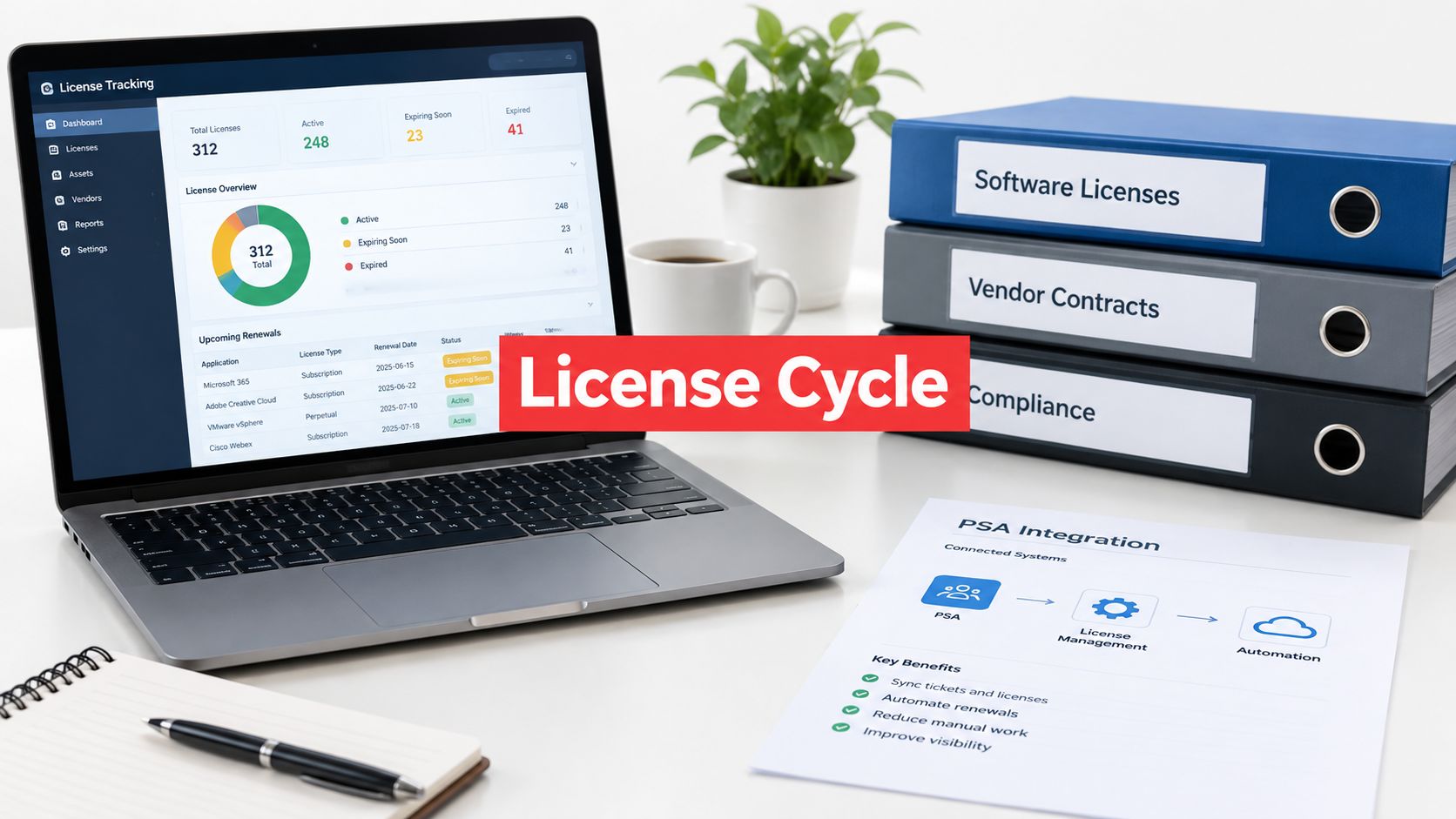
A client's Microsoft 365 renewal arrives, and the invoice is higher than expected. The PSA shows a familiar subscription count, the administrator believes former employees were removed, and the endpoint platform reports a different picture. Nobody has one reliable answer to a basic question: which licenses exist, who owns them, where are they allocated, and should they still be active?
That situation isn't a one-time cleanup problem. Software deployments, user identities, billing records, contracts, and business requirements change throughout the year. For an MSP, effective software license management is a recurring operating cycle that turns scattered records into decisions the service team and client can explain.
Table of Contents
- Why Software License Management Is an Operating Cycle
- The Five Stages of the MSP License Management Cycle
- Reconciling Data Sources for Accurate Entitlements
- Turning License Data Into Client Reports
- Avoiding the Cleanup Trap
Why Software License Management Is an Operating Cycle
A license reconciliation can produce a useful snapshot, but a snapshot starts aging as soon as a user joins, a device is retired, a department buys software directly, or a vendor changes its licensing metric. Treating that snapshot as permanent creates two risks at once. The client may pay for access nobody needs, while another deployment may fall outside the rights documented in the contract.
The historical rationale for formal license management is incomplete visibility. A KPMG survey of 1,013 U.S. organizations found that 86% were at the Basic or Standardized stages of software asset management maturity, while only 13% had reached the Rationalized stage. Later analysis cited by KPMG estimated that U.S. companies overspent on commercial software by approximately $12.3 billion annually, which shows why purchase records alone can't support reliable control.

The renewal surprise is usually a process failure
Consider an illustrative MSP scenario. A client renews a design platform, and the vendor's portal shows more assigned users than the PSA billing record. The difference isn't automatically waste or noncompliance. Some users may need emergency access, a shared workflow may depend on a rarely used account, or the contract may use concurrent access rather than named users.
The service team must investigate the entitlement, assignment, usage, and contract terms together. A monthly or quarterly cycle surfaces that question before the renewal meeting, when the client still has time to approve a reassignment, downgrade, cancellation, or retention decision.
Practical rule: A license isn't “unused” merely because its last login is old. The decision must account for ownership, business dependency, contract terms, identity status, and continuity risk.
An operating cycle also gives the MSP a repeatable place for accountability. Discovery data enters the workflow, a service owner resolves exceptions, the client approves material decisions, and the next review verifies what changed. RMM, PSA, identity, procurement, and vendor systems remain complementary sources. They aren't interchangeable, and none should be treated as a complete entitlement register by default.
The Five Stages of the MSP License Management Cycle
The cycle has five connected stages: inventory, ownership, allocation, review, and retirement. The sequence matters because a usage report without contract evidence is incomplete, and a purchase record without current identity or deployment data can mislead the service team.
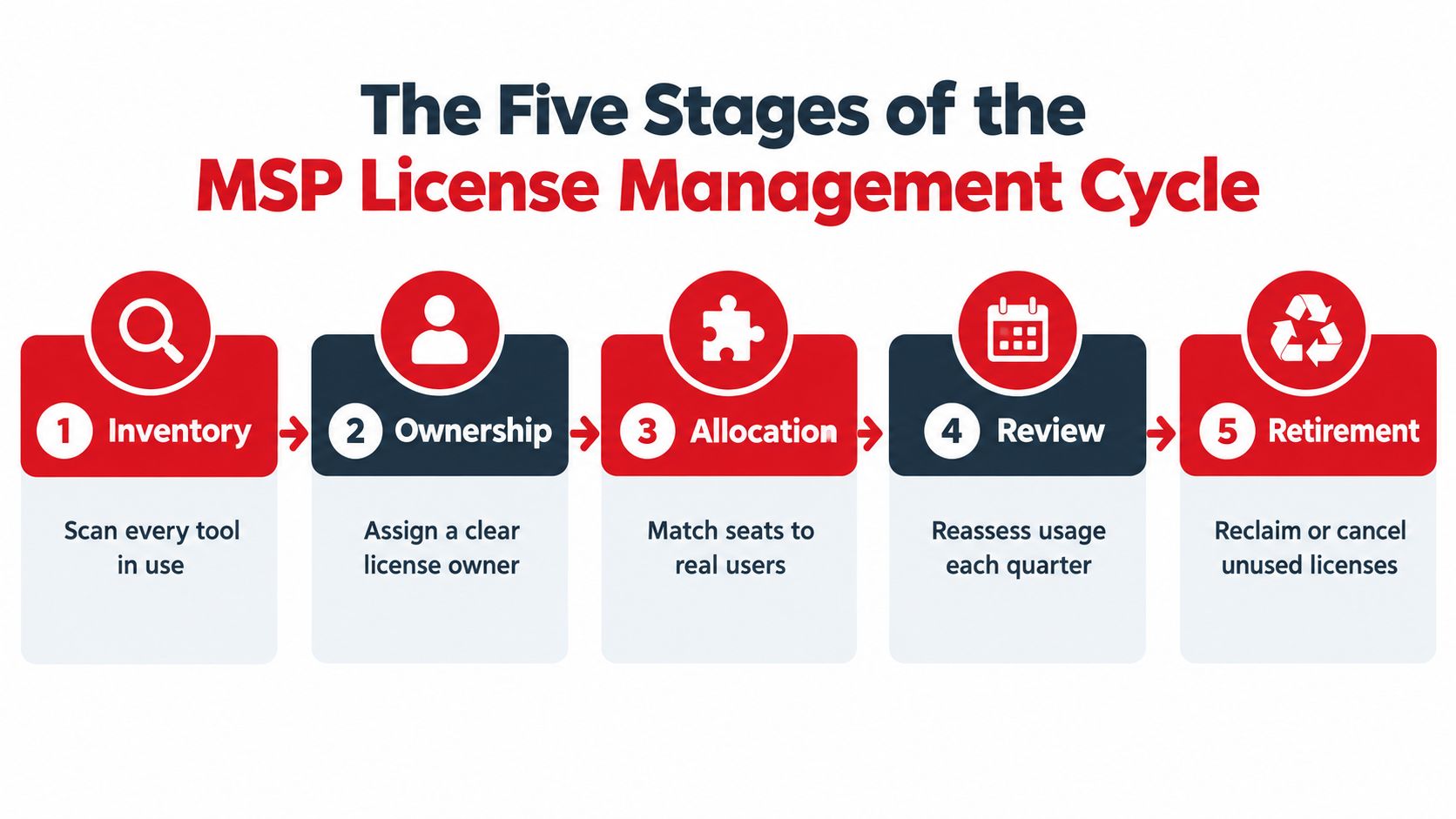
Inventory starts with coverage, not a spreadsheet total
The MSP first establishes what software appears across each client environment. The inventory should capture publisher, product, edition, licensing metric, contract or invoice reference, purchase quantity, renewal date, deployment location, assigned user or device, and evidence of rights.
Discovery must extend beyond managed endpoints. SaaS subscriptions, identity directories, procurement records, vendor portals, departmental purchases, virtual machines, and shared accounts can all affect the answer. If a source isn't connected or can't be validated, the record should be marked unknown rather than treated as compliant by default.
Ownership makes someone responsible
Every license needs a clear owner, but “owner” can mean more than the person using the software. The client may assign commercial ownership to finance, technical administration to IT, and operational approval to a department manager. The MSP's register should record who can approve a reassignment, renewal, downgrade, or retirement.
A named owner prevents the common failure where a service desk sees an unused seat but has no authority to change it. It also creates an escalation route for exceptions that remain unresolved.
Allocation links rights to real identities
Allocation maps purchased or subscribed rights to users, devices, workspaces, or other units defined by the contract. Installed isn't the same as authorized. A product may use named-user, concurrent-use, consumption, virtual-machine, geographic, or indirect-access terms.
For Microsoft environments, a focused workflow can use Microsoft 365 license management as an example of how identity, assignment, and subscription review fit together. The exact reconciliation logic still depends on the customer's agreement and the available data.
Review tests usage against the entitlement
Review is where the MSP compares allocation and activity with contractual rights and business context. Each record can be classified as compliant, over-licensed, under-licensed, unused, or unknown, but the classification should include evidence and an accountable exception owner.
A useful review asks:
- Who uses it: Is the identity active, disabled, shared, seasonal, or tied to a service account?
- What does the contract allow: Does the metric match the observed assignment and deployment?
- What does the client need: Would removal interrupt a critical workflow, retention obligation, API connection, or emergency access path?
- What action is safe: Should the license be retained, reassigned, downgraded, reclaimed, or investigated?
Retirement closes the loop
Retirement removes or reassigns access after approval, updates the entitlement record, and records the evidence. The MSP should also verify that the PSA billing record and renewal forecast reflect the decision.
The cycle then starts again. A quarterly cadence may suit a stable client, while a faster review can make sense where the client has frequent staffing changes, complex contracts, or material renewal exposure. The objective isn't a universal schedule. It's a documented rhythm that catches drift before a renewal or audit forces the issue.
Reconciling Data Sources for Accurate Entitlements
No single operational system answers every license question. An RMM may identify installed applications and endpoint activity. An identity platform may show active, disabled, or departed users. A PSA may contain billable quantities and service history, while procurement and vendor portals hold invoices, subscription terms, and contractual evidence.
The reconciliation process connects those views without pretending they say the same thing. A record should retain its source, timestamp, normalized product name, licensing metric, and confidence or exception status. That makes the result explainable when two systems disagree.

Build the entitlement chain
A defensible record connects several pieces of evidence:
- Contract evidence: The agreement, invoice, order, subscription tier, metric, quantity, and renewal date.
- Technical evidence: Installation, deployment location, device discovery timestamp, workspace assignment, or service connection.
- Identity evidence: The user or service identity, status, department, and assignment history.
- Operational evidence: The owner, approval, exception reason, action taken, and next review date.
This chain matters because “installed” doesn't prove authorization, and “purchased” doesn't prove current deployment. An account may be disabled while retaining an assignment. A device may be retired while its software record remains active. A PSA line item may continue billing after a client-side change that wasn't communicated to the service desk.
Volgap's multi-tenant identity visibility is relevant to this operating problem because an MSP must compare identity state across client environments rather than review one tenant in isolation. Connector coverage and the exact fields available should be confirmed against the MSP's stack before promising automated reconciliation.
Use normalized records instead of matching names by sight
Product names often vary between an invoice, endpoint discovery result, identity assignment, and PSA catalog. “Adobe Acrobat,” a vendor SKU, and a locally installed edition may describe related but not identical rights. The service team should normalize publisher, product, edition, and metric before comparing quantities.
An illustrative exception might look like this:
- Endpoint data shows a productivity application on a managed laptop.
- Identity data links the assignment to a former employee whose account is disabled.
- The PSA still includes the subscription in the client's recurring billing.
- The contract permits reassignment, but the client hasn't approved a replacement user.
The correct outcome isn't an automatic cancellation. The record should enter an exception queue, identify the client owner, preserve the evidence, and present a decision: reclaim, reassign, retain, or investigate.
Plan for audits without running only for audits
Audit exposure remains a practical reason to maintain evidence. In a 2022 survey of 283 IT professionals, 69% reported that their organization had undergone a software-compliance audit during the previous three years, and 79% reported one within five years. Microsoft was identified as the most active auditor by 64% of respondents, followed by Oracle at 41%.
A recurring process is stronger than an emergency export because it preserves the history of decisions. The register should show what the client was entitled to, where the right was allocated, what the systems reported at the time, which exceptions existed, and who approved the resulting action.
Turning License Data Into Client Reports
A client report shouldn't reproduce every row in the internal register. It should convert evidence into decisions, explain uncertainty, and show what the MSP recommends next. SMB leaders usually need to understand renewal exposure, ownership gaps, avoidable billing, operational risk, and the action required from their team.
The first page can present a concise control summary:
| Report area | Client question | Useful output |
|---|---|---|
| Inventory coverage | What software and subscriptions are visible? | Sources connected, assets reporting, unknown records |
| Entitlement status | Do purchases and assignments align? | Compliant, over-licensed, under-licensed, unused, and unknown classifications |
| Ownership | Who can approve a change? | Named business and technical owners |
| Renewal exposure | What needs attention before renewal? | Upcoming decisions, evidence status, and action owner |
| Retirement queue | What can be removed or reassigned safely? | Approved actions, dependencies, and verification date |
Separate findings from recommendations
A strong report distinguishes observed facts from proposed action. “The account is disabled and the license remains assigned” is a finding. “Reassign the seat to the new operations manager” is a recommendation that requires client approval and a continuity check.
For each exception, include:
- Evidence: Source systems, discovery time, contract reference, and identity status.
- Risk: Cost exposure, authorization uncertainty, business dependency, or data-retention concern.
- Recommendation: Retain, reassign, downgrade, reclaim, or investigate.
- Owner: The person responsible for approving or completing the action.
- Verification: The next check confirming that the change took effect.
That format keeps the MSP from presenting a raw “unused license” list that encourages indiscriminate cancellation. A rarely used license may support a critical workflow, seasonal coverage, emergency access, or an integration that doesn't produce ordinary login activity.
Turn the report into a service conversation
The report should feed the client's normal operating rhythm. Renewal decisions can be added to a service review, billing discrepancies can be routed to the PSA, and unresolved exceptions can become tracked service actions rather than recurring discussion points.
Automated monthly reporting through Volgap can support a recurring reporting workflow where the product's documented data coverage and connectors fit the MSP's environment. Veevoo, Inc. distributes Volgap and provides software distribution and enablement support, while the MSP remains responsible for validating the client's data, interpreting contract terms, and obtaining approval for changes.
A useful monthly report doesn't promise savings or compliance by itself. It demonstrates control performance through measures such as inventory completeness, recent asset reporting, entitlement-to-consumption alignment, inactive assignments, renewal exposure, and unresolved exceptions by severity. These measures let the service manager show whether the process is improving, even when the right decision is to retain a license.
Client-facing standard: Every recommendation should answer what changed, why it matters, who decides, and how the MSP will verify the outcome.
The report also creates a cleaner QBR discussion. Instead of saying that the MSP “manages licenses,” the service team can show which sources were reconciled, which decisions remain open, which renewal quantities require confirmation, and what evidence supports each recommendation.
Avoiding the Cleanup Trap
A cleanup has a defined end. A cycle has a next review date.
The cleanup trap starts after a billing complaint or audit notice. The MSP spends days merging spreadsheets, asking users whether they still need access, correcting PSA quantities, and searching for invoices. The client sees activity, but the underlying process often returns to the same disconnected systems once the immediate issue is closed.
A recurring model avoids that reset by making each review produce durable control records. The service team should retain the contract or invoice, installation or deployment record, identity assignment, discovery timestamp, exception owner, approval, and final action. Unknown records should remain visible until investigated, not disappear into a compliant total.
Keep the monthly rhythm manageable
A practical MSP cycle can follow this pattern:
- Ingest: Pull available RMM, endpoint, identity, PSA, procurement, and vendor-portal data.
- Normalize: Standardize publishers, products, editions, users, devices, and licensing metrics.
- Reconcile: Compare current allocations and usage with documented rights.
- Route: Assign exceptions to a service owner and client decision-maker.
- Report: Publish findings, evidence, actions, and renewal implications.
- Verify: Confirm that approved changes appear in technical, identity, billing, and entitlement records.
Manual spreadsheets can still help with an isolated investigation, but they fail as the operating system for a multi-client program. They duplicate data, obscure timestamps, depend on individual knowledge, and make it difficult to prove whether a former employee, retired device, or departmental purchase was handled consistently.
The MSP should also resist measuring success only by reclaimed seats. A safer target is improved control performance, including broader inventory coverage, fewer unknown entitlements, faster exception closure, documented offboarding reassignment, and renewal quantities that have an explanation. Those outcomes protect client operations while making cost decisions more credible.
A one-time reconciliation answers what the records looked like on a particular day. Software license management as an operating cycle answers who owns the decision, what evidence supports it, what changed, and when the result will be checked again.
Veevoo, Inc. offers Volgap for connecting management, identity, security, license, and billing data across client environments, with capabilities for reconciliation and recurring client reporting subject to connector coverage and platform fit. MSP owners and service leaders can visit Veevoo, Inc. to evaluate whether Volgap fits their license-management operating cycle.